What is a LinkedIn MCP server, and what can an AI do with it?
A LinkedIn MCP server gives an AI assistant tools for your LinkedIn data. The three kinds, what each can do, and what to ask before you connect one.
By Amardeep Anand, founder of Bokka · Published
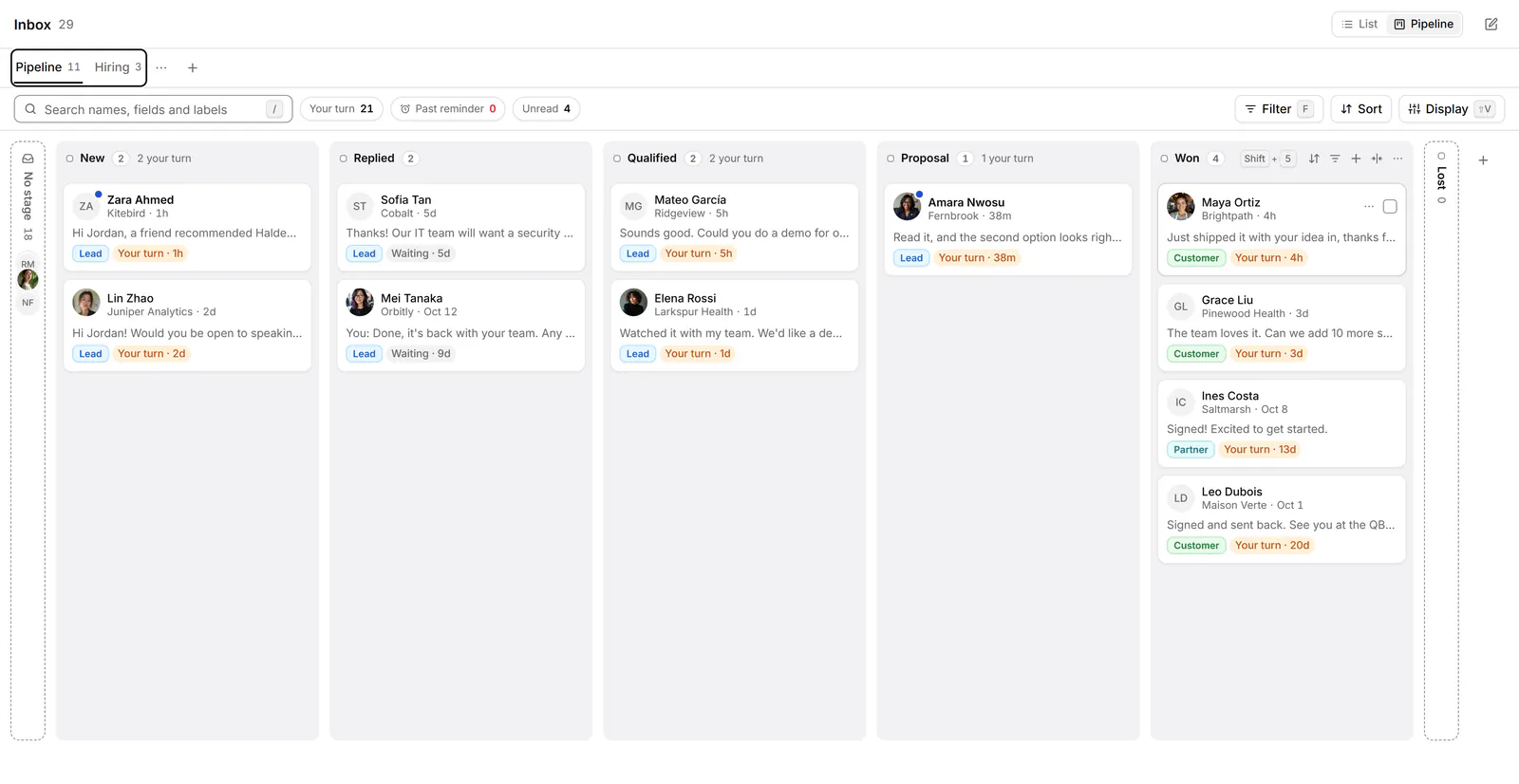
A LinkedIn MCP server is a program that gives an AI assistant, such as Claude, ChatGPT or Cursor, a set of tools for your LinkedIn data. You ask in plain words, and the assistant calls those tools. What it can do depends on the server: some act on LinkedIn for you, and Bokka's reads stored data and saves drafts, with nothing sent.
MCP (Model Context Protocol) is an open-source standard for connecting AI applications to external systems (the MCP docs, retrieved 30 October 2026). Bokka is an AI-first CRM for your LinkedIn inbox. We found no MCP server from LinkedIn itself when we looked on 30 October 2026, so the ones you'll find come from other developers.
What is MCP?
MCP lets an AI application use outside tools and data through one common connection. The project's own comparison is a USB-C port for AI applications (the MCP docs, retrieved 30 October 2026). Three parts matter (MCP architecture, retrieved 30 October 2026):
- The host is the AI application you talk to, such as Claude.
- The server is a program that offers tools. It can run on your computer or remotely.
- Tools are functions the assistant can call. Servers can also offer prompts, which are reusable templates, and resources, which are data to read.
So a server decides what's possible, and the assistant decides when to use it. An assistant can't do anything on your LinkedIn that its server doesn't offer.
The three kinds of LinkedIn MCP server
| Kind | How it reaches LinkedIn | Can it act on LinkedIn? |
|---|---|---|
| A server you run yourself | Drives a real browser session signed in to LinkedIn on your computer | Often. The example below sends messages and connection requests |
| A hosted server | A company runs it and handles sign-in and sessions | Depends on the service. Read its action list |
| A stored-data server, like Bokka's | It doesn't. It reads what Bokka stored in your browser | No |
One popular open-source example is linkedin-mcp-server. Its tool list, retrieved 30 October 2026, includes reading profiles and posts, searching people and jobs, sending connection requests, and send_message, which it describes as sending after confirmation. Its README is open about the trade-off: "LinkedIn's User Agreement prohibits automated access, and accounts using automated tools can be restricted or banned."
LinkedIn's own help page says it doesn't permit third-party software, including browser plug-ins and extensions, that scrape, modify the appearance of, or automate activity on its website (LinkedIn Help, retrieved 30 October 2026). That applies to tools of every kind, and how LinkedIn applies it is LinkedIn's decision. Bokka is third-party software too, and LinkedIn hasn't approved it.
What an assistant can do with Bokka's server
It works in four groups. Everything it reads is what's already stored, and it never fetches more.
- Read. Inbox views, search, messages, people, connections, followers, invitations, network growth, reminders, activity counts, and the summaries and suggestions the app's AI already made.
- Organise in Bokka. Labels, pipeline stages, CRM fields, notes, reminders and snippets. It can also archive or star a chat, on that device only.
- Draft. It saves a plain-text draft in a chat's reply box, and keeps any draft you already started unless you tell it to replace yours. Anything it doesn't know can stay as a
{{word}}gap, and Send stays off until you fill it. - Pass things on, if you've set them up. Where widgets and integrations are on, it can make and publish your own website widgets, and send chats to your own Notion, Google Sheets or webhook destination. It's worth knowing that this last one moves data out of Bokka, as far as that destination's settings allow.
Bokka also offers seven ready-made prompts your assistant can pick up: triage my inbox, what's due today, a weekly outreach review, draft follow-ups, go through AI suggestions, brief me on someone, and add my card to my site. Each one asks you before it changes anything.
How a request travels
- The assistant calls a tool, using the access you gave it when you chose Allow.
- Bokka's server checks that you're on a plan with assistants and that you haven't disconnected it.
- For labels, notes and the like, the server answers from your account. That's why they work with the tab closed.
- For messages and people, the server asks your open Bokka tab. The tab reads your browser's store and seals its answer to a key made for that one request.
- The server hands the answer to the assistant and keeps no copy. If no tab is open, the assistant is told so.
What Bokka's server won't do
- Send a message or start a conversation. There's no such tool.
- Make a LinkedIn request. Archiving and starring change Bokka on the device that answered. Archiving on LinkedIn stays a key you press in the app.
- Search LinkedIn or load more history. It says when stored history may be partial, so the assistant can ask you to open the chat.
- Accept, ignore or withdraw invitations, or follow anyone.
What to ask before you connect any LinkedIn MCP server
- Where does my LinkedIn session live? On your computer, or on someone else's server?
- Can its tools act on LinkedIn? Read the tool list, and look for send, connect, follow and post.
- Does it run when I'm away? A server that can act while you sleep can't be checked by you.
- Where does my message text go, and what's kept?
- How do I cut it off? You want a clear way to disconnect that takes effect straight away.
For the setup itself, see how to connect Claude to your LinkedIn inbox. For our reasons, see why Bokka doesn't automate LinkedIn.
About Bokka
Bokka starts with a free 14-day trial, AI included and no credit card. After it, Starter is $25 and Pro is $35 per user a month ($19 and $30 for your first month). Team, at $50, is coming soon. The free trial includes Bokka's own AI, but connecting an assistant takes Pro.
Frequently asked questions
Is there an official LinkedIn MCP server?
We found none from LinkedIn when we looked on 30 October 2026. The servers you'll find are third-party, so read what each one does before you connect it.
What can an AI assistant do with a LinkedIn MCP server?
Whatever that server's tools allow. With Bokka's, it can read stored messages and people, organise them in Bokka and save drafts. With others, it may send messages or connection requests.
Does an MCP server need my LinkedIn password?
It depends on the server. Bokka never sees your password, and its server never connects to LinkedIn. You sign in to Bokka, not LinkedIn, when you connect an assistant.
Do I need to be a developer to use one?
Not for a remote server. In Claude you paste a URL and sign in. A server you run yourself takes more setup.
Sources
Other products' prices and features were read on their own pages on 30 October 2026. They change; check each page before you buy.
Join the waitlist for early access to Bokka. Your first 14 days are free, AI included, with no credit card. It runs in Chrome, Edge, Brave and Arc on a desktop or laptop.
Join the waitlistAbout the author
Amardeep Anand founded Bokka, the AI-first CRM for your LinkedIn inbox, and runs it from Deoghar, India. Questions or corrections: support@gobokka.com.
Related
- How to connect Claude to your LinkedIn inbox with MCPConnect Claude to your LinkedIn messages through Bokka over MCP, step by step: what you need, the sign-in, first requests, and what Claude can't do.
- Why Bokka doesn't automate LinkedIn, and what it does insteadBokka sends nothing on its own: no sequences, auto-replies, scheduled or bulk messages. What that means, why we chose it, and how you still move fast.
- Where your LinkedIn messages go when you use BokkaBokka's privacy and security in plain words: what stays on your device, what our servers keep, what the extension can do, and what AI sees.