How many LinkedIn messages can you send a day?
LinkedIn publishes no daily limit for messages to your connections. What it does publish: invitation limits, InMail credits, message requests and search caps.
By Amardeep Anand, founder of Bokka · Published · 3 min read
On this page
LinkedIn doesn't publish a daily limit for messages to your connections. Its messaging help pages give no number, and its page on message requests says only that it may limit your ability to send messages to members you're not connected to (LinkedIn Help: messaging FAQ, retrieved November 10, 2026; LinkedIn Help: message requests, retrieved November 10, 2026). What LinkedIn does publish are limits on invitations, InMail and a few group and Recruiter actions, below.
A message goes to a 1st-degree connection. An InMail goes to someone you're not connected to, and uses a credit. A message request goes to someone you share a group or employer with, who can accept or decline it. Bokka is an AI-first CRM for your LinkedIn inbox.
What LinkedIn publishes, at a glance
| What | LinkedIn's published limit |
|---|---|
| Messages to your connections | No number published |
| Messages to people you're not connected to | LinkedIn says it may limit them; no number published |
| Invitations to connect | Limits apply to all members; no number published. A restriction typically lasts one week |
| Notes on invitations (without Premium) | Three a month on one help page, five on another; 200 characters each; unlimited on Premium |
| InMail | Credits a month by plan: 5 on Premium Career, 15 on Premium Business, 50 on Sales Navigator Core, 30 on Recruiter Lite |
| InMail from Recruiter | Up to 1,000 a day per seat; 200 in a new seat's first week |
| Message requests from group admins | 50 a day to group members they aren't connected to |
| Profile searches (without Premium) | A monthly commercial use limit, number not published; it resets on the 1st |
Messages to your connections
LinkedIn's messaging FAQ says you can message your 1st-degree connections, and mentions no limit on how many messages you send (LinkedIn Help: messaging FAQ, retrieved November 10, 2026). None of the help pages read for this post gives a daily, weekly or monthly number for them.
For people you're not connected to, LinkedIn's page on message requests says it may limit your ability to send messages to them, without a number (LinkedIn Help: message requests, retrieved November 10, 2026). A request goes to a coworker or a member of a group you share; they accept it or decline it privately, and you aren't told if they decline. See LinkedIn message requests.
Invitations: limits without a published number
- Everyone has one. "All LinkedIn members, including those with Basic and Premium accounts, are subject to these limits." LinkedIn gives no weekly number. A restriction "typically lasts one week", LinkedIn can't remove or shorten it, and withdrawing pending invitations doesn't lift it (LinkedIn Help: invitation limit reached, retrieved November 10, 2026).
- Why it happens. LinkedIn lists sending many invitations in a short time, having many ignored, left pending or marked as spam, and suspected automation. It suggests waiting a few hours after a first restriction, a few days after several in one day, and up to a month for too many outstanding invitations; most lift within a week (LinkedIn Help: restrictions on sending invitations, retrieved November 10, 2026).
- Withdrawn invitations. You can't invite the same person again for three weeks (LinkedIn Help: restrictions on sending invitations, retrieved November 10, 2026).
- Notes on invitations. One help page says you can add a note to up to three connection requests a month, each up to 200 characters, and Premium members can add notes to all of them (LinkedIn Help: personalize invitations, retrieved November 10, 2026). Another says Basic and free members can add one to five a month (LinkedIn Help: invitation limit reached, retrieved November 10, 2026). LinkedIn's own pages differ, so check what your account shows.
- Network size. Up to 30,000 1st-degree connections (LinkedIn Help: restrictions on sending invitations, retrieved November 10, 2026).
InMail: credits a month, not a daily limit
InMail is a Premium feature, with credits a month by plan: 5 on Premium Career, 15 on Premium Business, 50 on Sales Navigator Core and 30 on Recruiter Lite, with unused credits building up to a cap. A credit comes back when an InMail is accepted, declined or answered within 90 days, and you can't send another InMail to someone until they respond to the first (LinkedIn Help: InMail credits, retrieved November 10, 2026). More in how many InMail credits you get a month.
The only daily InMail number LinkedIn publishes is for Recruiter: up to 1,000 InMails per day, per seat, after a first week capped at 200 per new seat (LinkedIn Help: InMail sending limits in Recruiter, retrieved November 10, 2026).
Groups and search
- Groups. A group admin can send up to 50 new message requests a day to members of their group they aren't connected to (LinkedIn Help: limits for groups, retrieved November 10, 2026).
- Search. Without Premium, you have a monthly commercial use limit on profile searches and views. LinkedIn says it can't display how many you have left, and usage resets at midnight PST on the 1st of each month. Searching by name and browsing your own connections don't count. The page doesn't mention messages (LinkedIn Help: commercial use limit, retrieved November 10, 2026).
What about the numbers on other sites?
You'll find articles that give a number of messages a day, or a weekly invitation count. None of the LinkedIn help pages read for this post publish such a number for messages to connections or for invitations, so those figures are the authors' estimates, not LinkedIn's. This post doesn't offer one either.
What LinkedIn does say is about how you send. It doesn't permit third-party software or browser extensions that scrape, modify the appearance of, or automate activity on its website, and members using them risk having their accounts restricted or shut down (LinkedIn Help: prohibited software and extensions, retrieved November 10, 2026). Its User Agreement also says not to use bots or other unauthorised automated methods to send messages or add contacts (LinkedIn User Agreement, section 8.2, retrieved November 10, 2026).
How Bokka sends
- One message at a time, on your click. Every message goes on your own Enter or click. There's no scheduling, no sequences and no auto-replies, and a failed send is never retried on its own.
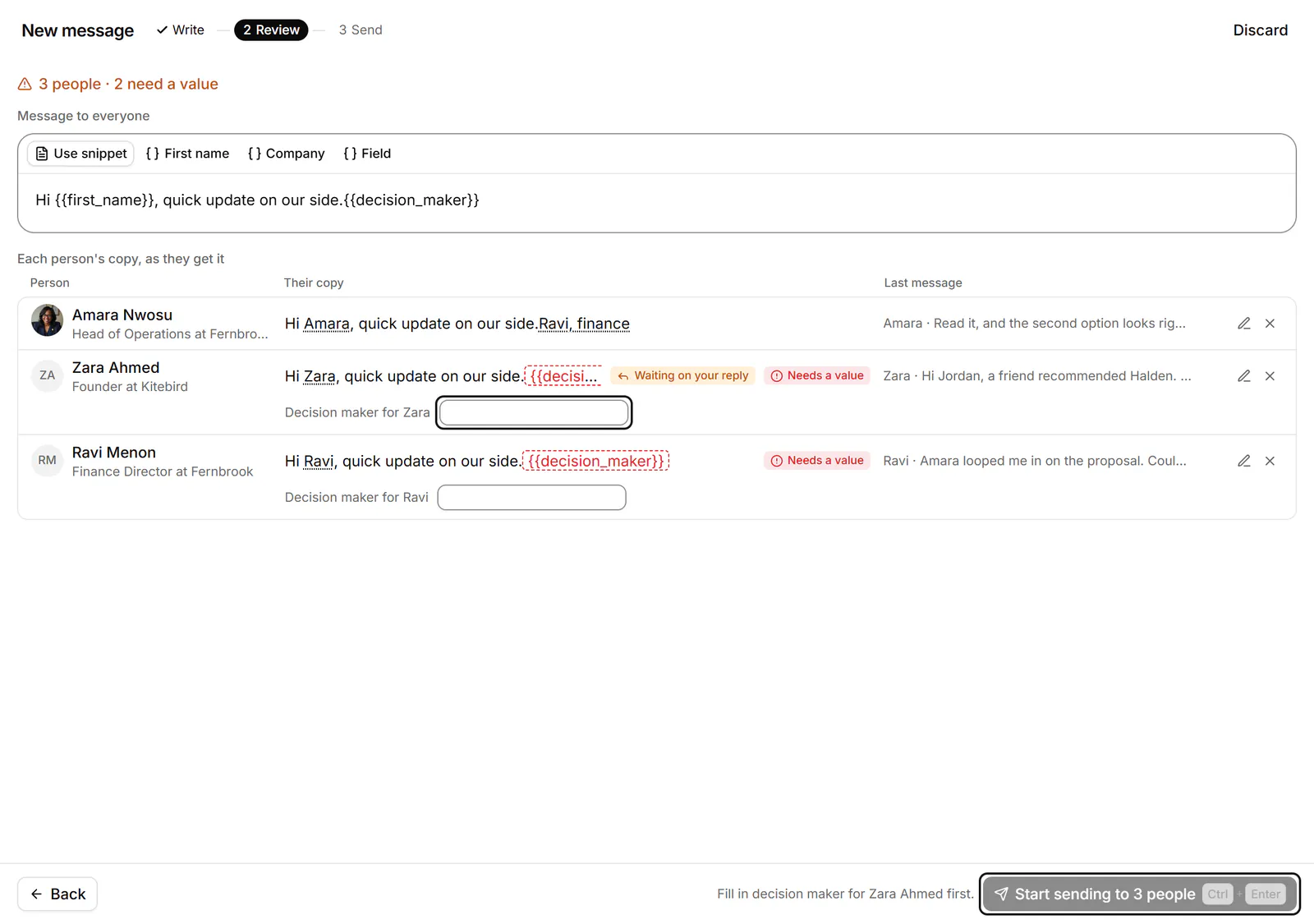
- Message selected is not bulk sending. You can write one message to up to 10 conversations, check each person's copy, and press Enter for each one.
- AI drafts only. AI, and any assistant you connect over MCP, can draft but never send.
- Its own requests are paced. The extension sends one request at a time from your browser, only while Bokka is open in a tab, and stops and waits when LinkedIn asks it to slow down.
None of that changes LinkedIn's limits, and Bokka isn't approved by LinkedIn; no tool is. See why Bokka doesn't automate LinkedIn and how to message several LinkedIn connections at once.
About Bokka
Bokka starts with a free 14-day trial, AI included and no credit card. After it, Starter is $25 and Pro is $35 per user a month ($19 and $30 for your first month). Team, at $50, is coming soon.
Frequently asked questions
Is there a daily message limit on LinkedIn?
LinkedIn doesn't publish one for messages to your connections. It says it may limit messages to people you're not connected to, without giving a number.
How many connection requests can I send a week on LinkedIn?
LinkedIn says invitation limits apply to every member, Basic and Premium, but doesn't publish the number. If you reach it, the restriction typically lasts one week.
How many InMails can I send per day?
InMail is limited by credits a month, not by day: 5 on Premium Career, 15 on Premium Business, 50 on Sales Navigator Core, 30 on Recruiter Lite. Recruiter seats can send up to 1,000 InMails a day.
What happens if I send too many messages on LinkedIn?
LinkedIn doesn't publish a message threshold. It says it may limit messages to people you're not connected to, and that accounts using automation tools risk being restricted or shut down.
Sources
Other products' prices and features were read on their own pages on November 10, 2026. They change; check each page before you buy.
- LinkedIn Help: messaging FAQ
- LinkedIn Help: message requests
- LinkedIn Help: invitation limit reached
- LinkedIn Help: types of restrictions for sending invitations
- LinkedIn Help: personalize invitations to connect
- LinkedIn Help: InMail credits and renewal
- LinkedIn Help: InMail sending limits in Recruiter and Recruiter Lite
- LinkedIn Help: general limits for LinkedIn groups
- LinkedIn Help: commercial use limit
- LinkedIn Help: prohibited software and extensions
- LinkedIn User Agreement
Join the waitlist for early access to Bokka. Your first 14 days are free, AI included, with no credit card. It runs in Chrome, Edge, Brave and Arc on a desktop or laptop.
Join the waitlistAbout the author
Amardeep Anand founded Bokka, the AI-first CRM for your LinkedIn inbox, and runs it from Deoghar, India. Questions or corrections: support@gobokka.com.