How to message multiple LinkedIn connections at once
LinkedIn lets you start a group chat with up to 50 connections, where everyone sees every reply. How to send each person their own copy instead.
By Amardeep Anand, founder of Bokka · Published · 2 min read
On this page
To message several LinkedIn connections at once, start a new message and add each of them in the To field: LinkedIn creates a group chat with up to 50 of your 1st-degree connections. Everyone in it sees every reply. If you want each person to get their own private copy instead, you have to send them one by one, or use a tool that does that with one keypress per person.
A group chat is one LinkedIn conversation with several people in it, all sharing the same history. Individual copies are separate one-to-one messages with the same text, each in its own conversation. Bokka is an AI-first CRM for your LinkedIn inbox.
Start a group chat on LinkedIn
- Open Messaging from your homepage and select Compose.
- Type each person's name in the Type a name field.
- Write your message and click Send.
You can start a group chat with two or more of your 1st-degree connections, and add up to 50 members (LinkedIn Help: create a group chat, retrieved November 1, 2026). Everyone shares the same history, even people who join later, and any member can add or remove others or rename the chat.
When a group chat is the wrong tool
LinkedIn says group chats should be used to create conversations with your connections, not for mass messaging (LinkedIn Help: create a group chat, retrieved November 1, 2026). It also puts everyone in one room. For example, if you're telling eight candidates that a role has moved to final interviews, a group chat shows each of them who else applied, and every question one asks lands with all eight.
- Use a group chat for a real group: a project, an intro between two people, a team that needs to talk to each other.
- Use individual messages when each person should only see their own conversation: candidates, prospects, investors, clients.
Send each person their own copy in Bokka
Bokka's Message selected writes one message to up to 10 conversations. Each person gets their own copy, in their own conversation, and you press Enter for every one. Bokka never sends on its own and doesn't schedule messages.
- Select up to 10 conversations with X, then click Compose in the selection toolbar or press C. In People, select up to 10 connections and choose Compose.
- Write your message. First name and Company put in each person's own; someone with no first name on record gets "there". Use snippet starts from a saved reply.
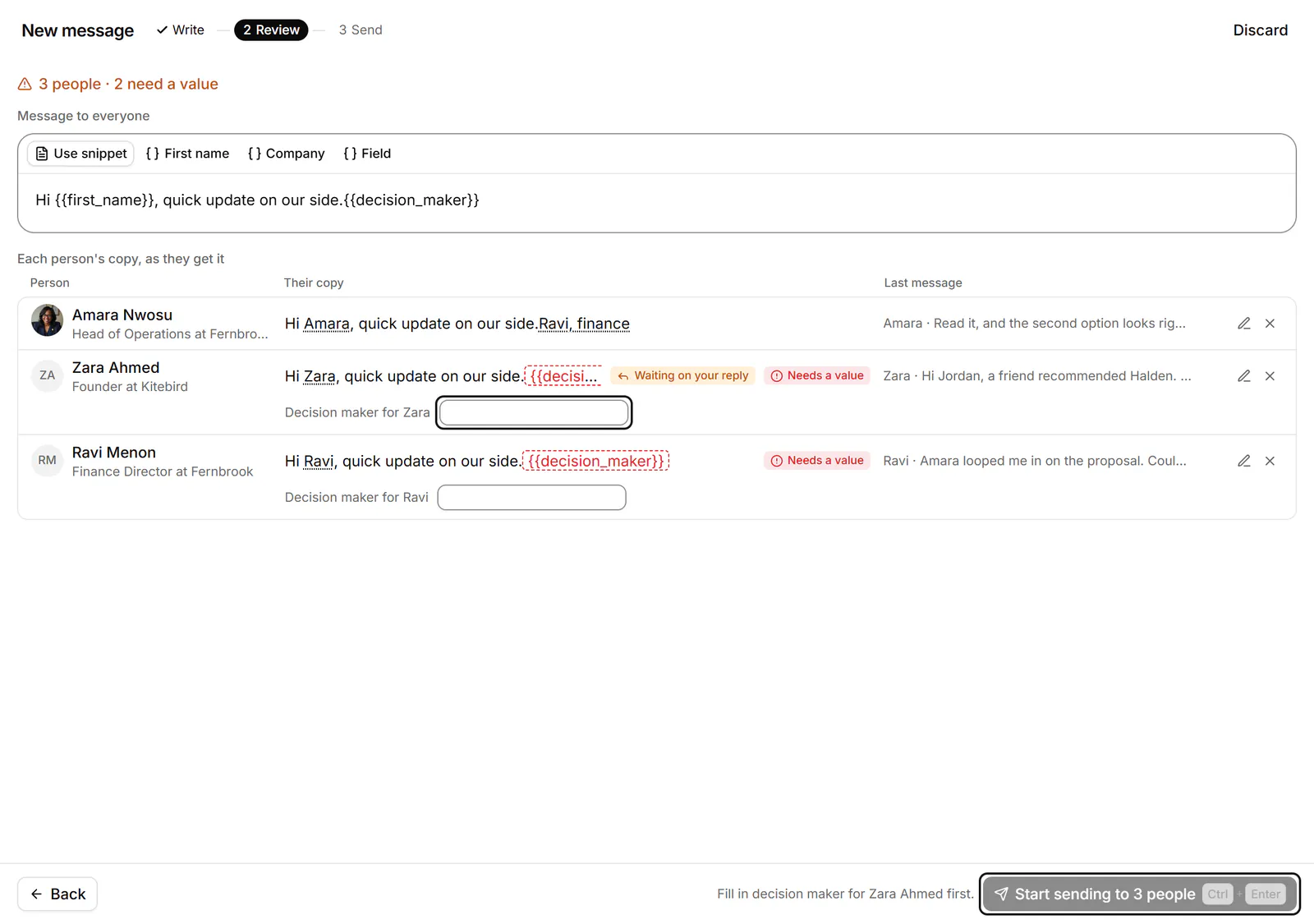
- Check each copy under Each person's copy. If one still needs a value, Review opens first so you can fill it in or edit that person's copy.
- Click Start sending. One card per person shows their last message and their copy: press Enter to send it, E to edit it for them alone, or S to skip them.
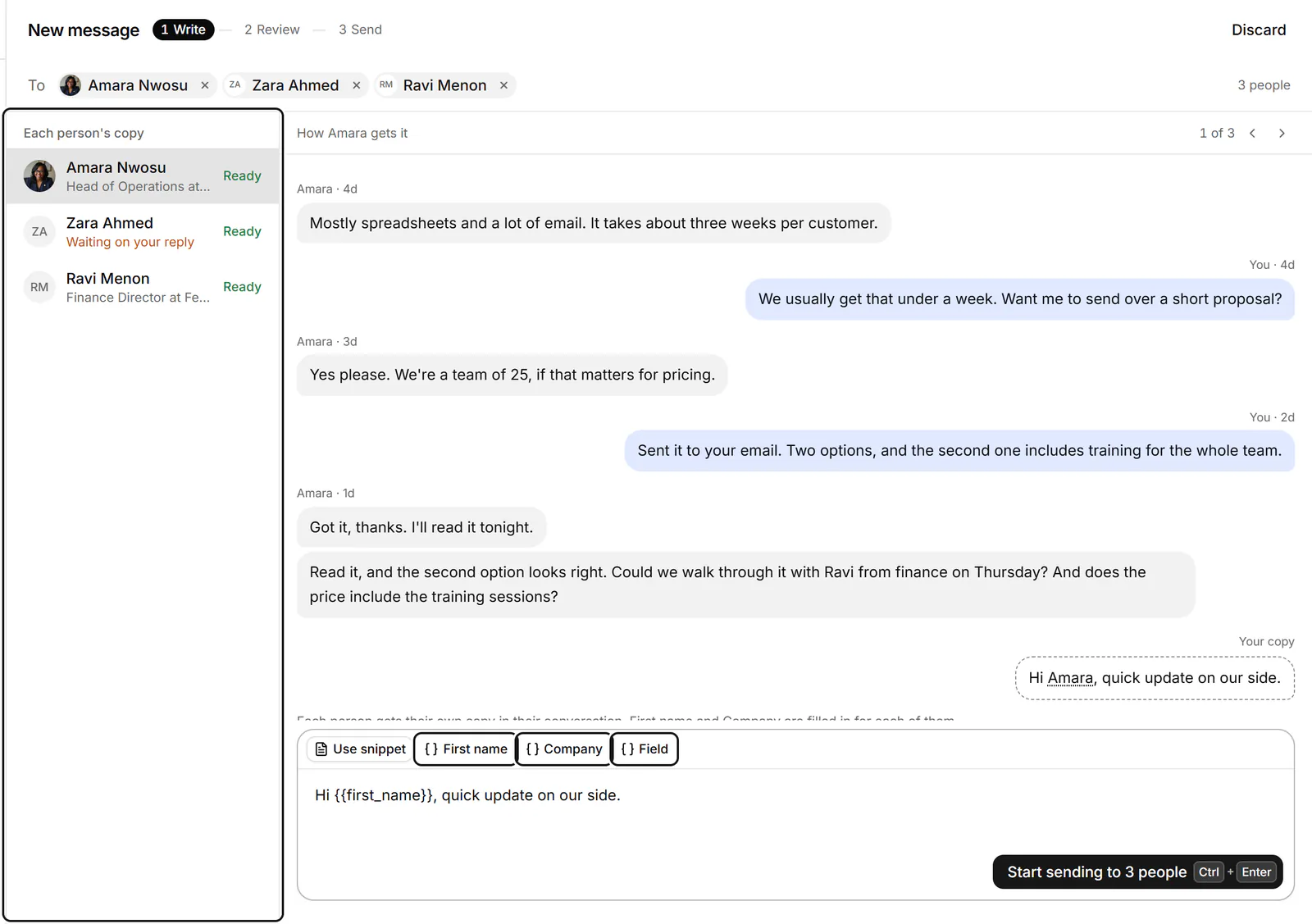
If someone wrote last, their card warns you that they're waiting on your reply, so you can check the copy still fits. Message requests and conversations LinkedIn takes no replies in can't be included. Full details: Send one message to several people.
Write it so it reads like one message to one person
- Use the fill-ins. A first name and company in the right place make each copy read as written for them.
- Keep one ask. One question or one date is easy to answer in a sentence.
- Edit the ones that need it. Press E on a card to change one person's copy without touching the rest.
Templates to start from are in LinkedIn follow-up templates with first-name fill-ins.
About Bokka
Bokka starts with a free 14-day trial, AI included and no credit card. After it, Starter is $25 and Pro is $35 per user a month ($19 and $30 for your first month). Team, at $50, is coming soon.
Frequently asked questions
How many people can I message at once on LinkedIn?
A LinkedIn group chat can have up to 50 members, all 1st-degree connections, and everyone in it sees every message.
Can I send the same LinkedIn message to several people separately?
Not in one step on LinkedIn. In Bokka, Message selected sends one personalised copy to each of up to 10 conversations, with one Enter per person.
Is Bokka's Message selected a bulk sender?
No. It covers at most 10 conversations, shows you every copy, and sends each one only when you press Enter on that person's card. Nothing is scheduled.
Can people in a LinkedIn group chat see each other?
Yes. Everyone shares the same conversation history, including people added later, and any member can add or remove others.
Sources
Other products' prices and features were read on their own pages on November 1, 2026. They change; check each page before you buy.
Join the waitlist for early access to Bokka. Your first 14 days are free, AI included, with no credit card. It runs in Chrome, Edge, Brave and Arc on a desktop or laptop.
Join the waitlistAbout the author
Amardeep Anand founded Bokka, the AI-first CRM for your LinkedIn inbox, and runs it from Deoghar, India. Questions or corrections: support@gobokka.com.