Messaging
Send one message to several people
Write one message, personalised with each person's name or company, and send it to up to 10 conversations, approving each send.
Each person gets their own copy, in their own conversation, and you press Enter for every one. Bokka never sends on its own and doesn't schedule messages.
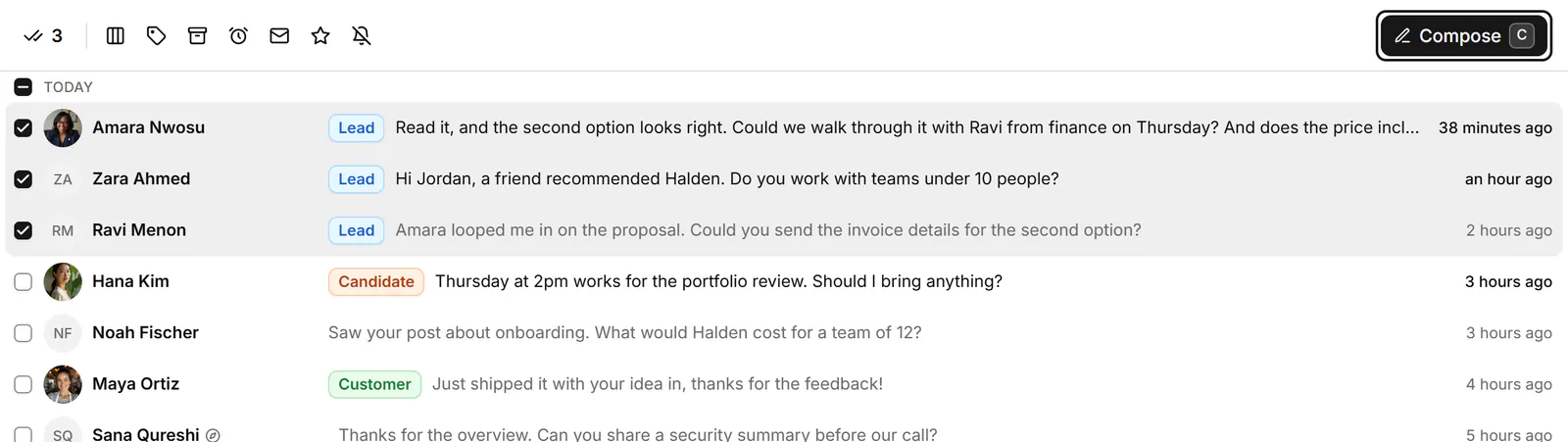
- Select up to 10 conversations with X, then click Compose in the selection toolbar or press C.
- Write: type your message. First name and Company add each person's own (someone with no first name on record gets "there"). Field adds one of your CRM fields, and Use snippet starts from a saved reply.
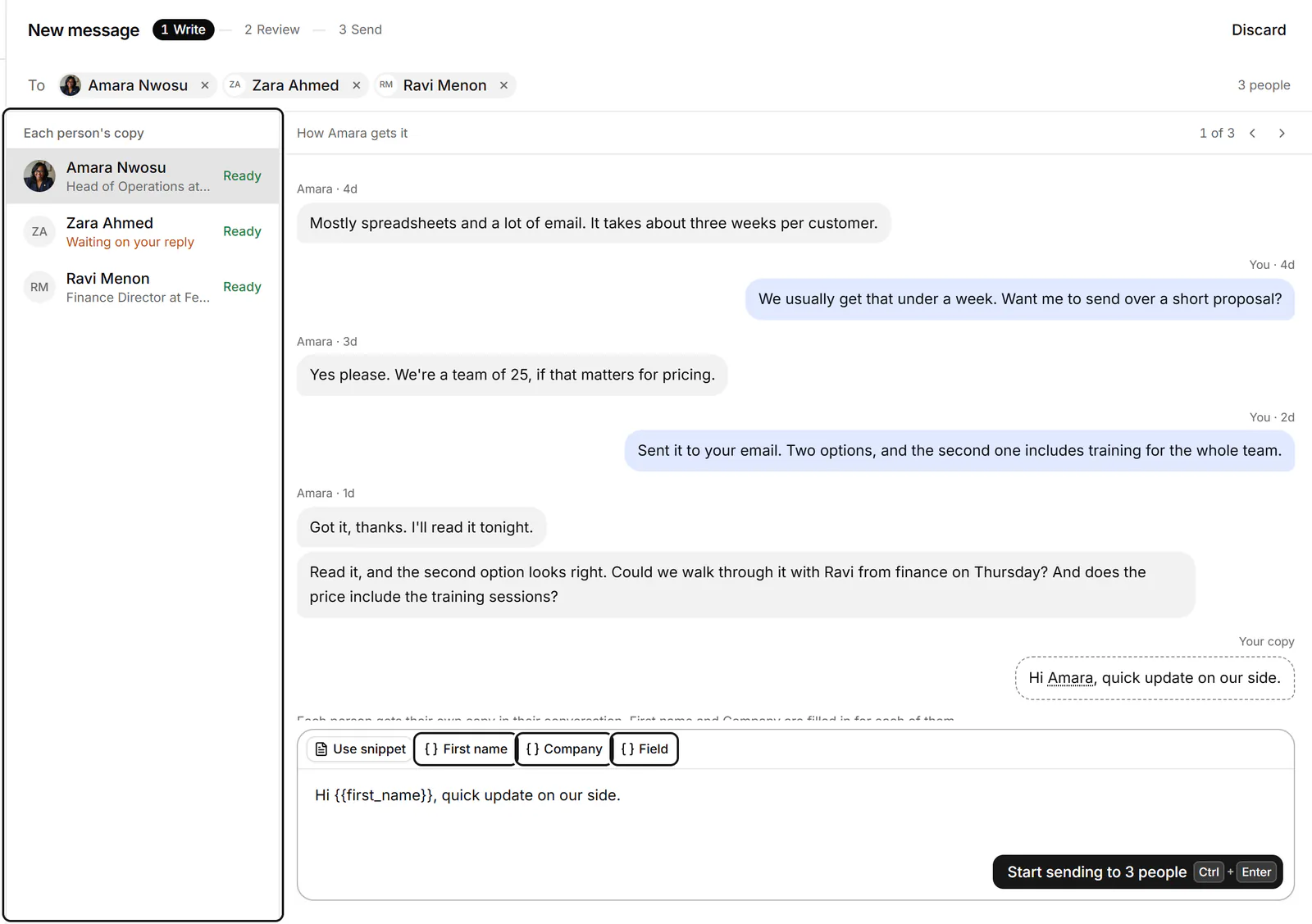
- Check how each person gets it under Each person's copy, or step through with Previous person and Next person.
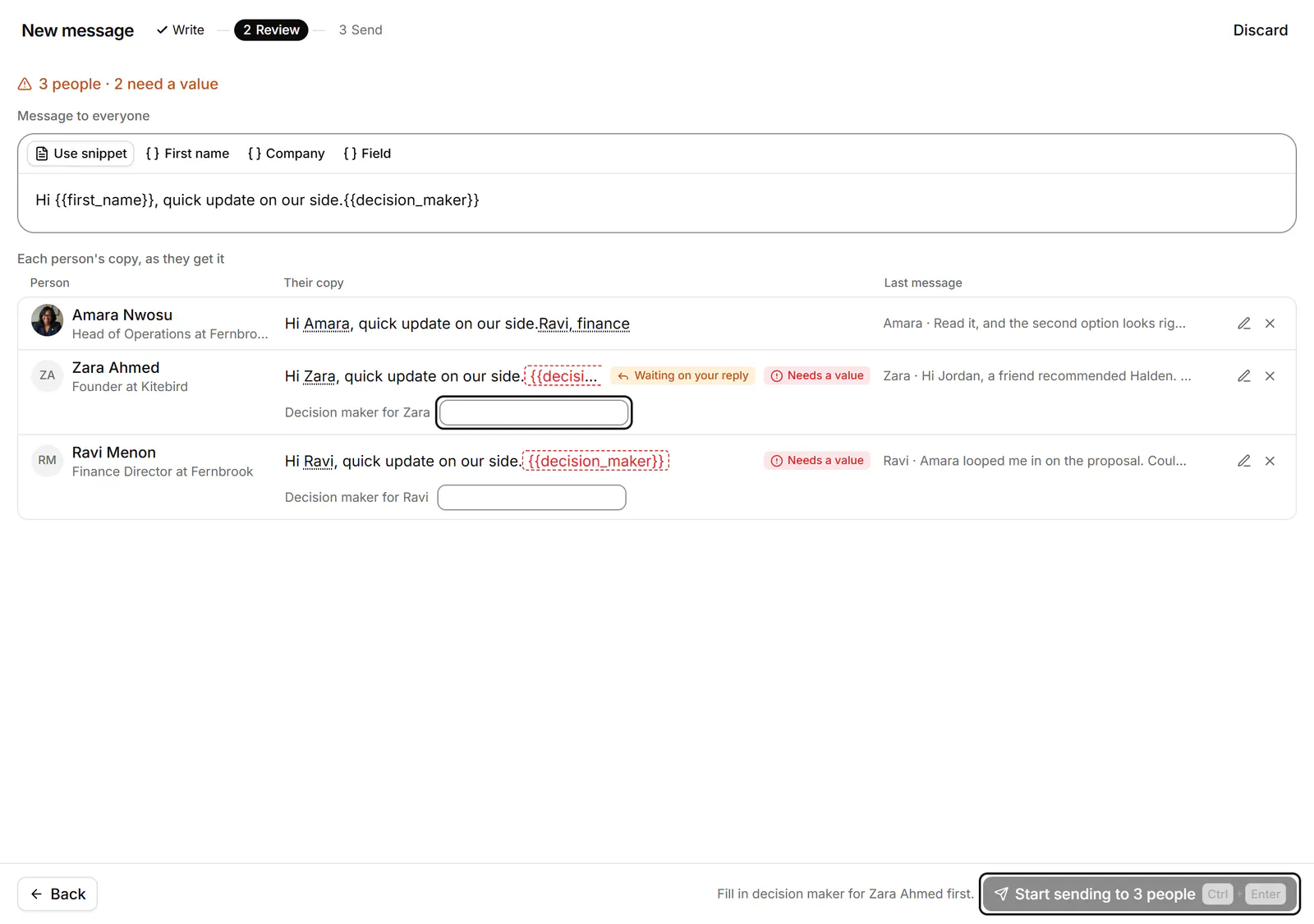
- Click Start sending to 3 people. If a copy still needs a value, Review opens first ("3 people · 2 need a value"): fill it in for each person, click Edit for <name> to change their copy, or remove them. Then click Start sending to 3 people again.
- Send shows one card per person, with their last message and their copy. Press Enter (Send to <name>) to send it, E to edit it for them alone, or S to skip them. Then the next card shows.
If someone wrote last, their card says "<name> wrote last and is waiting on your reply. Check this copy still fits."
Transcript: Sending one message to three people
- Select three conversations with X and press C.
- Write one message and insert First name, so each person gets their own copy.
- Preview each copy, then start sending.
- Bokka shows one card per person, and nothing goes until you press Enter on each card.
Leave and come back
If you leave part-way, a banner above the list keeps count ("3 of 7 sent"). View takes you back to the cards, and Stop ends the run. Rows in the list show "Sent" or "Not sent".
Who can't be included
- More than 10: "11/10 selected. Uncheck 1 to message them together."
- Sales Navigator conversations, message requests and conversations LinkedIn takes no replies in.
- The same person twice: "Already in the list through another conversation."
Related
- Act on many conversations at onceSelect several conversations, then label, stage, archive, snooze, star or mute them together, or write to them all.
- Reuse a reply with snippetsSave messages you send often, with placeholders for each person's name or company, and drop them into any conversation.
- Read and reply to a conversationOpen a conversation, read back through it, and reply from the keyboard, with attachments, quick follow-ups and per-message actions.
- Work through connections, followers and followingBrowse your LinkedIn connections, followers and the people you follow, then label them, keep notes and message them.
Still stuck? Email support@gobokka.com and say what you were trying to do.