Analytics
Read my analytics
See how your LinkedIn messaging is going: messages, reply rate and speed, follow-ups, pipeline movement and your network.
Open analytics
- In the sidebar, choose Analytics, or press G then D.
- Pick the period at the top: Last 7 days, Last 30 days or Last 90 days. Every number on the page follows it.
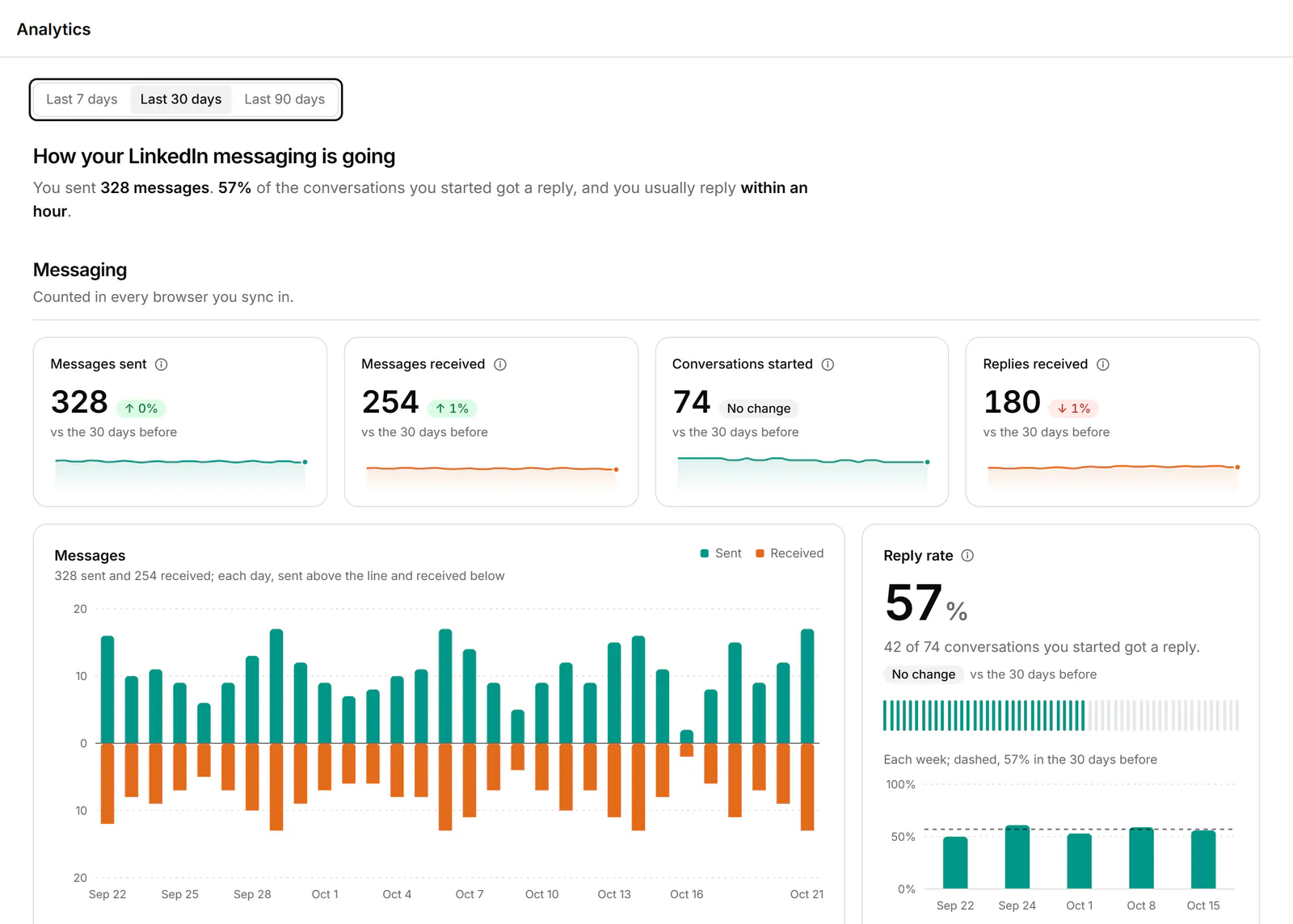
Messaging
Messaging counts what happens in every browser you use Bokka in. Each headline number has an About button that explains it.
| Section | What it shows |
|---|---|
| Messages sent, Messages received, Conversations started, Replies received, Reply rate | Totals for the period, and messages per day |
| Reply speed | How long you usually take to reply in 1:1s, and how long they do |
| Follow-ups | 1:1s waiting on a reply now, yours and theirs, by how long they've waited |
| Pipeline | Conversations in each stage now and how they moved in the period. Pick the pipeline above it |
| Snippets you used most | How often each snippet went into a message |
| Labels | Conversations with each label now |
| When people write to you | Messages you got by weekday and hour, and the busiest time. Read from this device |
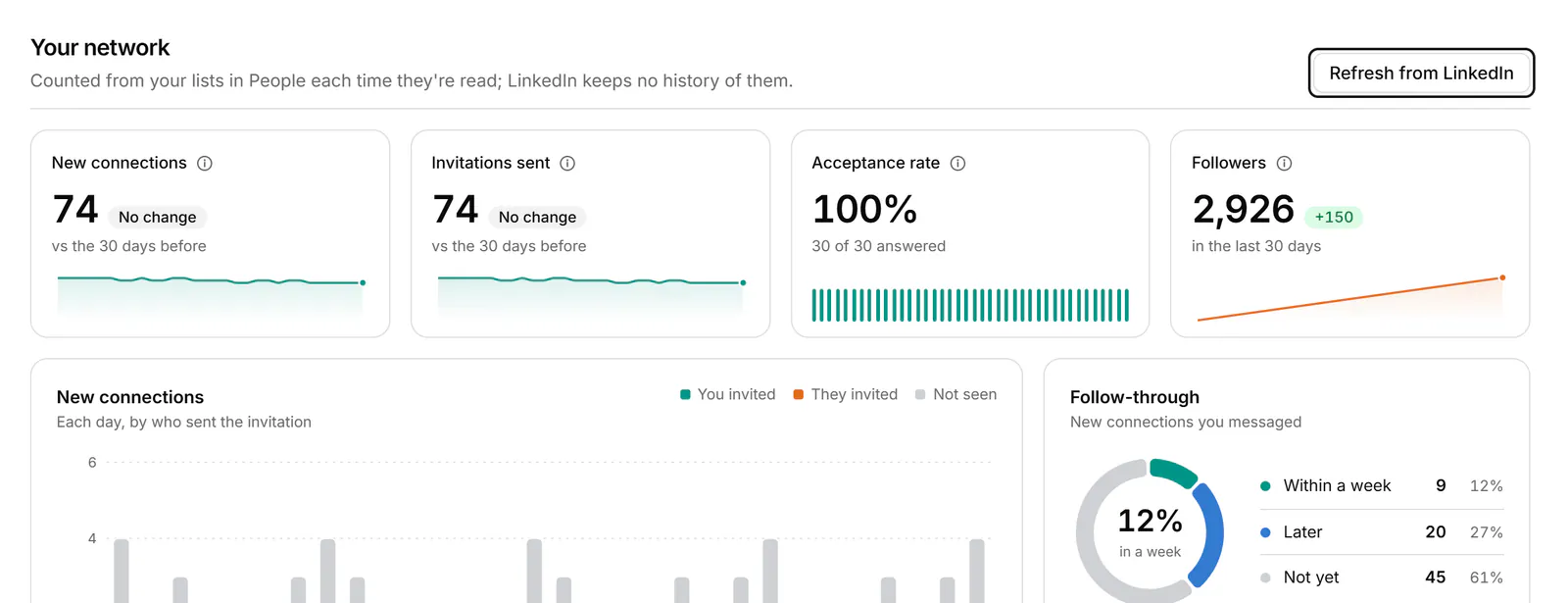
Your network
Your network counts your connections, followers, following and invitations. The numbers build up each time your lists are read, in People or with Refresh from LinkedIn.
- Choose Refresh from LinkedIn to count now. This needs the extension connected.
If a section is empty
- "No LinkedIn messages in the last 30 days yet." Nothing was sent or received in the period. Try a longer one.
- "No replies in 1:1s in this period." Reply speed needs at least one reply in a one-to-one conversation.
- "Nobody is waiting on a reply." You're up to date.
- "Open People or press Refresh to start counting." Your network hasn't been counted yet. Choose Refresh from LinkedIn.
Related
- Track deals in a pipelineMove conversations through stages on a board to track deals, candidates or job applications, with fields for each.
- Work through connections, followers and followingBrowse your LinkedIn connections, followers and the people you follow, then label them, keep notes and message them.
- Choose, change or cancel a planWhat the 14-day trial, Starter and Pro include, and how to choose a plan, switch plans, update your card or cancel.
Still stuck? Email support@gobokka.com and say what you were trying to do.