Troubleshooting
"The Bokka extension isn't connected"
What to do when Bokka can't reach its extension: install it, turn it on, or open Bokka in the right browser profile.
You see "We couldn't reach the Bokka extension in this browser profile. It may not be installed, or it may be turned off." Sync and sending need the extension, so nothing new arrives until it's back.
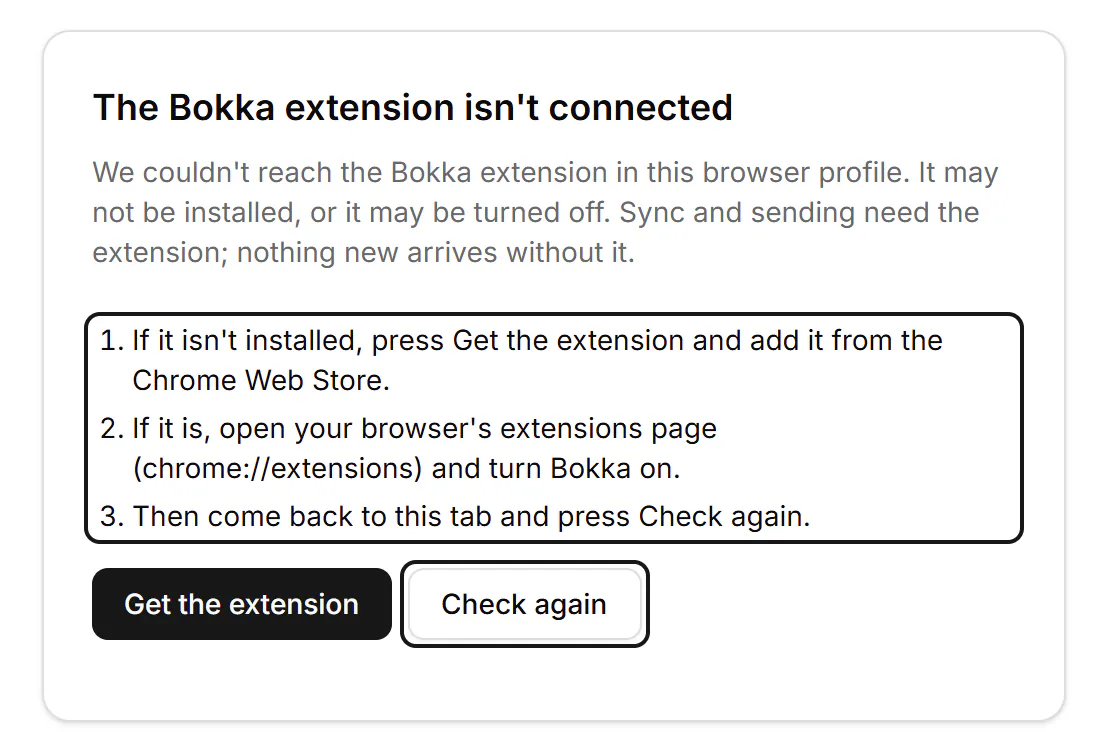
Fix it
- If it isn't installed, press Get the extension and add it. See Install and connect the extension.
- If it is, open your browser's extensions page (
chrome://extensionsin Chrome,edge://extensionsin Edge,brave://extensionsin Brave, or Arc's extensions page) and turn Bokka on. - Come back to the Bokka tab and press Check again, or reload the tab.
Still not connected?
You may be in a different browser profile from the one with the extension. Each profile has its own extensions, so open Bokka in the profile where you added it, or add it to this one. Settings and Analytics still work without the extension.
Other places you may see this
- "Sync is off: we couldn't find the extension in this Chrome profile." above the list. It means this browser profile, whichever of the four browsers you use. The fix is the same.
- In Settings → Account, Browser extension shows Not connected.
- If you remove or turn off the extension while Bokka is open, the message comes back. Turn it on again, then return to the Bokka tab.

Related
- Install and connect the extensionAdd the Bokka extension to Chrome, Edge, Brave or Arc and connect it, so Bokka can load your LinkedIn messages.
- Update the extensionWhat to do when Bokka asks you to update its extension or reload the page, and how to update the extension right away.
- My inbox is empty or messages are missingWhy conversations may not show in Bokka yet, and what to check: the open tab, the extension, the view, filters and search.
Still stuck? Email support@gobokka.com and say what you were trying to do.