People
Where are my invitations?
See the connection invitations you've received and the ones you sent that are still waiting, and label or note them.
Both lists are read-only. You accept, ignore or withdraw invitations on LinkedIn; nothing in Bokka changes them.
Invitations you received
- In the sidebar, under People, choose Invitations. The Invitations tab lists the people waiting for your answer.
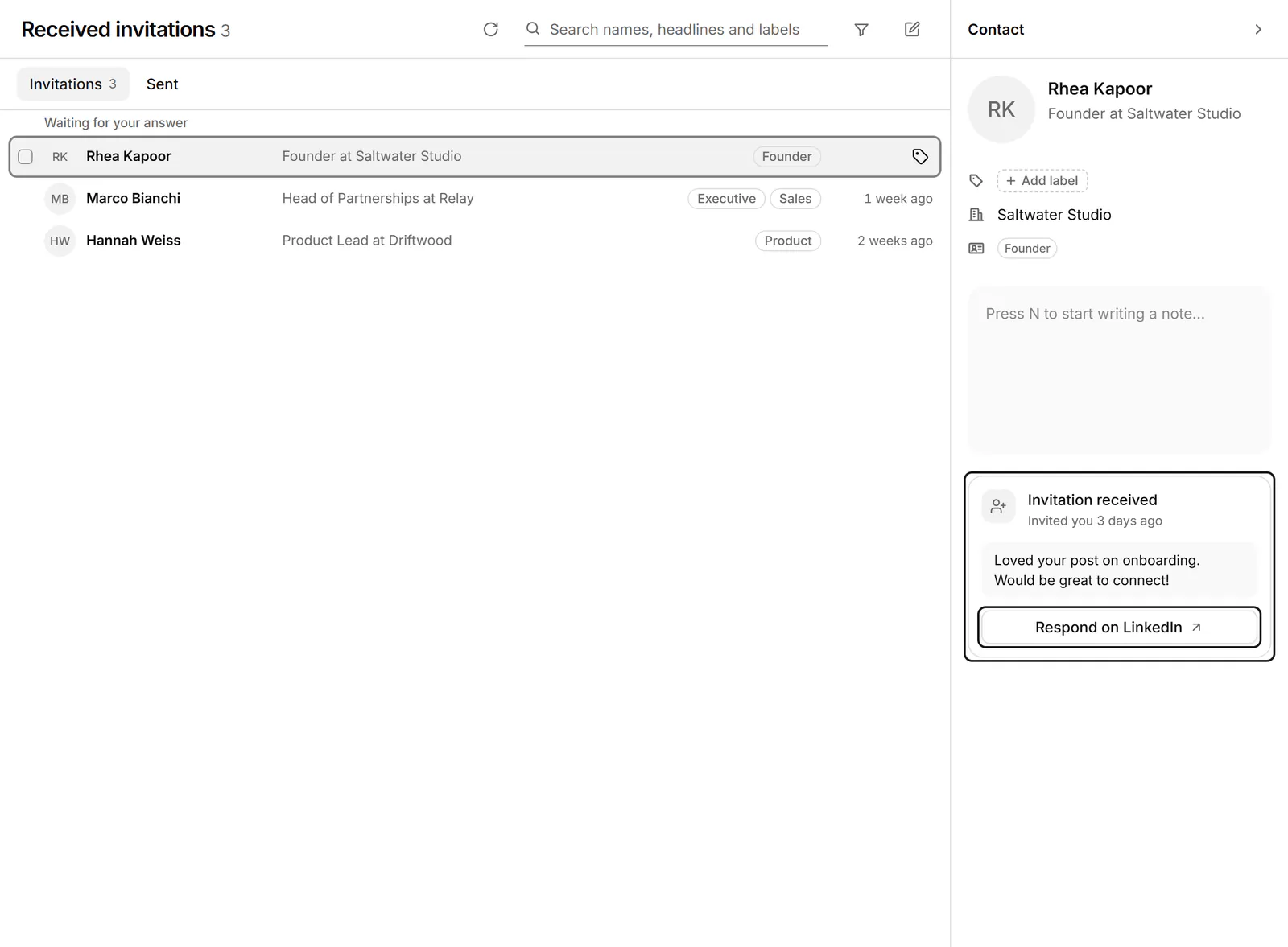
- Select one to see when they invited you and their message, if they wrote one.
- To accept or ignore it, choose Respond on LinkedIn. It opens LinkedIn in a new tab.
You can label people who invited you (Add label) and write notes on them, as with anyone else.
Invitations you sent
- In Invitations, choose the Sent tab. It lists the people you invited who haven't answered yet, each marked Invitation pending.
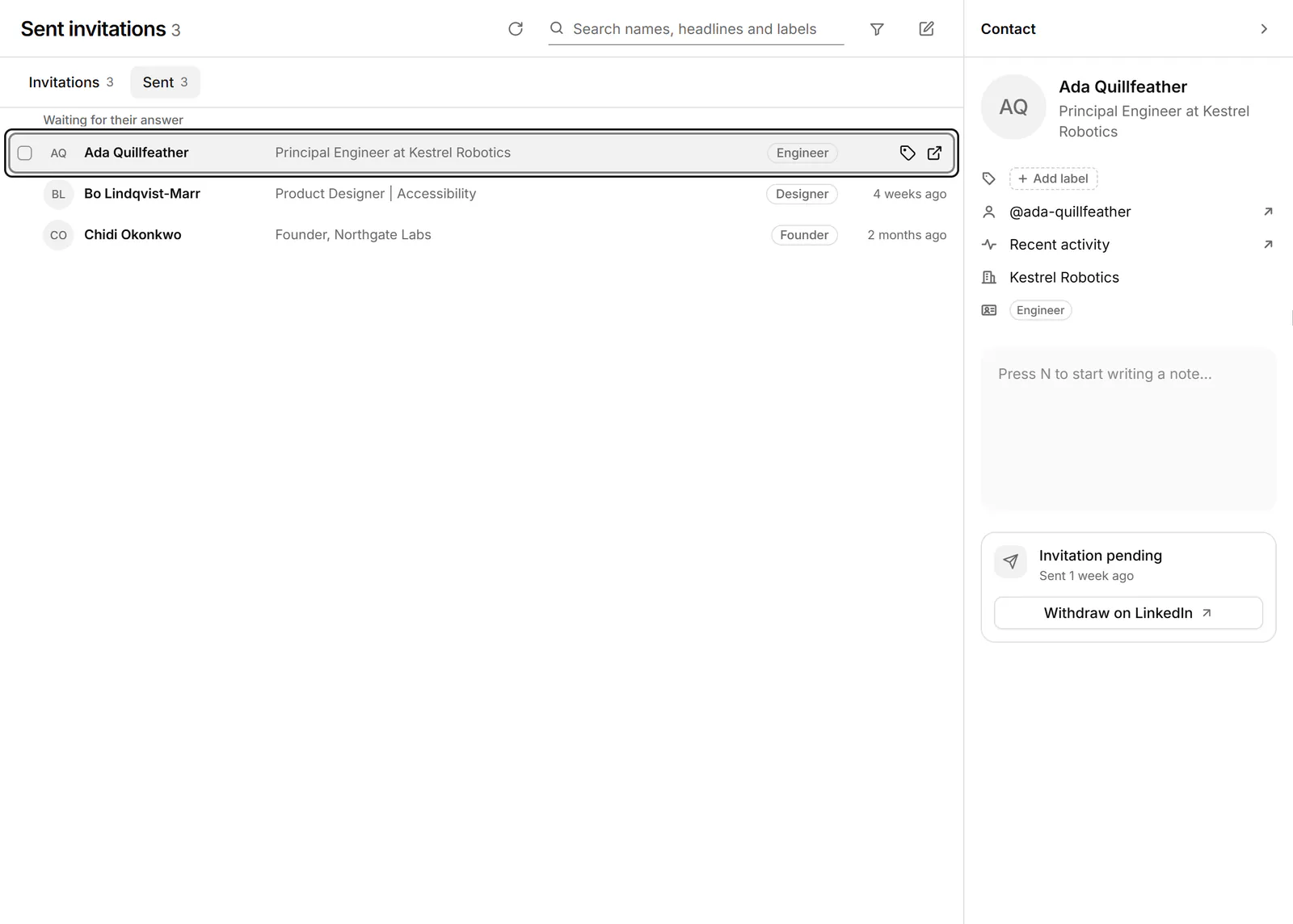
- To withdraw one, do it on LinkedIn.
If something goes wrong
- "No invitations are waiting for you." or "No invitations you sent are waiting." There's nothing pending.
- Sent shows only Try again. Choose Try again. If it stays, check that the extension is installed and turned on.
Related
- Work through connections, followers and followingBrowse your LinkedIn connections, followers and the people you follow, then label them, keep notes and message them.
- Label conversationsTag conversations and people with labels, work each label as its own list, and manage your labels in Settings.
- Common questionsQuick answers about where your messages are stored, which browsers work, LinkedIn accounts, AI, the trial and deleting your data.
Still stuck? Email support@gobokka.com and say what you were trying to do.