Messaging
Read and reply to a conversation
Open a conversation, read back through it, and reply from the keyboard, with attachments, quick follow-ups and per-message actions.
- Open a conversation with Enter. Your messages are on the right, theirs on the left, grouped by day. Scroll up, or click Load older messages, to read further back.
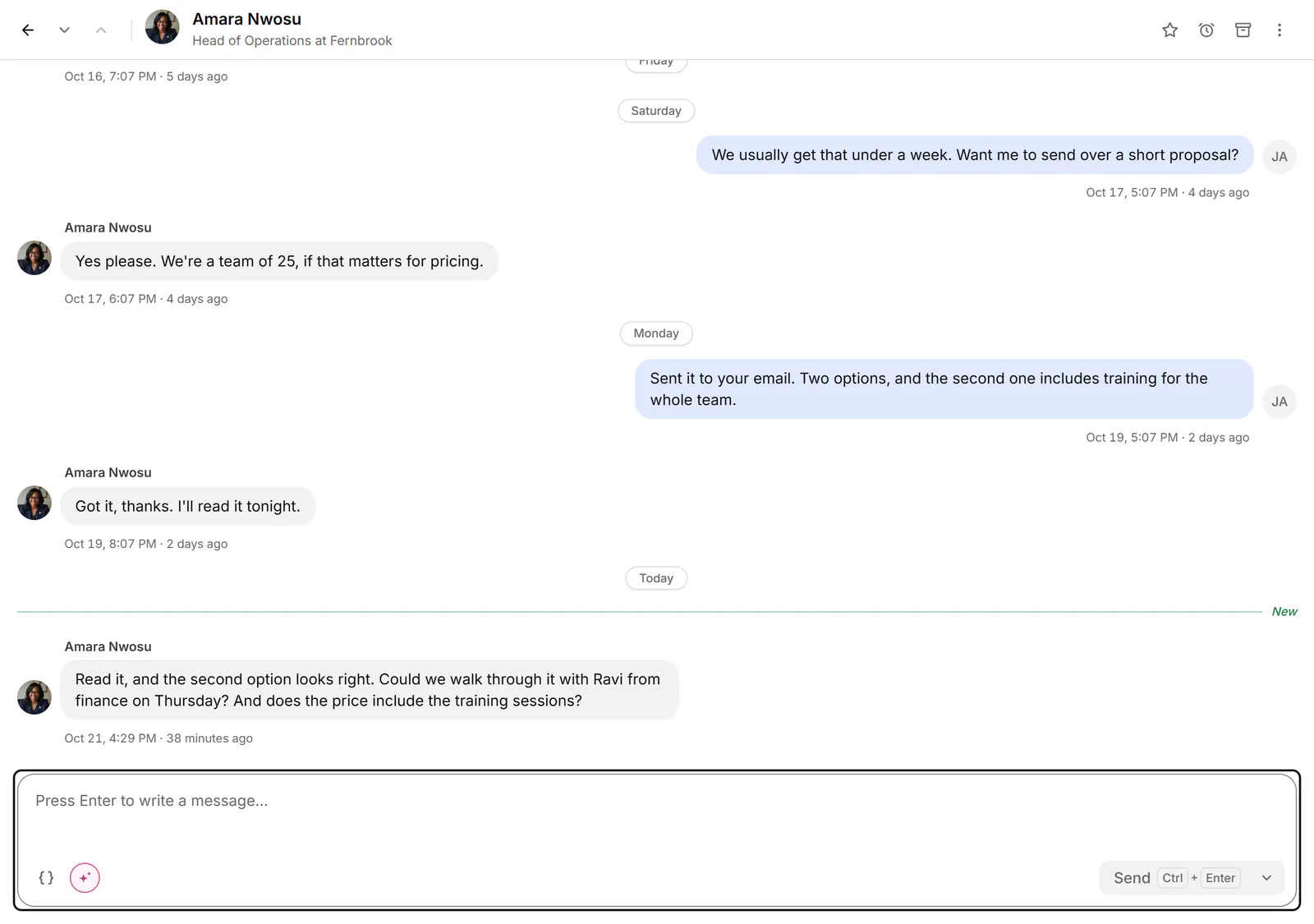
- Press Enter again to start writing in the box.
- Press Ctrl+Enter to send. To send with Enter alone, choose Enter under Send messages with in Settings → Preferences; Shift+Enter then starts a new line.
- Your message shows "Sending…" under the conversation until it has gone.
Send and do one more thing
- Send and archive (Alt+Enter) archives the conversation once the message has gone, and moves to the next one.
- Send and set a reminder (Ctrl+Shift+Enter) opens the reminder picker after the send. The reminder brings the conversation back to you; nothing is sent later.
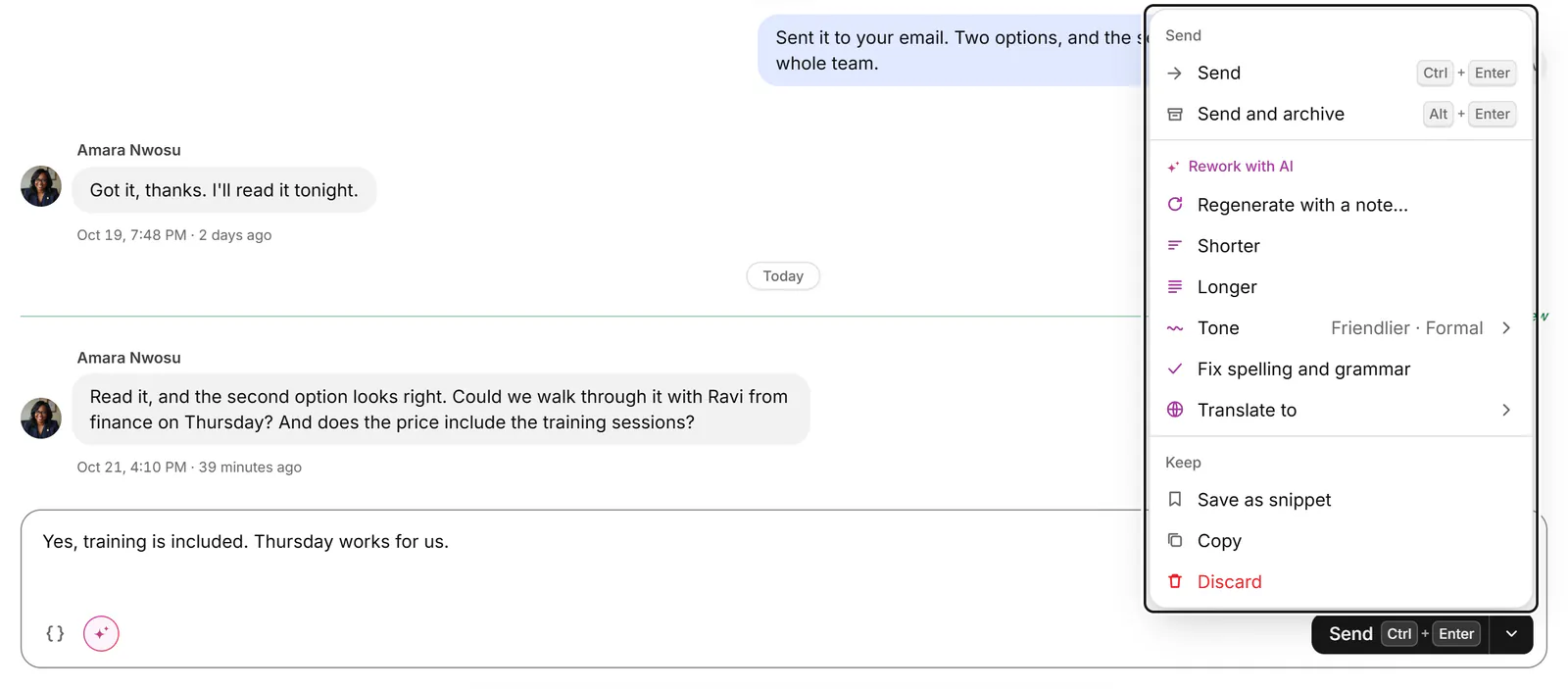
The arrow beside Send (More for the message) has Send, Send and archive, Rework with AI on plans with AI, Save as snippet, Copy and Discard.
Type / at the start of an empty box for its commands: Draft a reply and Summarize the conversation (plans with AI), Find in this conversation, Set a reminder and Insert a snippet. Type ; to pick a snippet.
Act on one message
Point at a message to see its actions, or select one with ↑ and ↓ and use its key:
| Action | Key |
|---|---|
| React | Y |
| Reply to this message, quoting it | R |
| Forward | F |
| Edit your message, within an hour of sending | T |
| Delete your message for everyone, within an hour of sending | Shift+T |
| Delete for me: hides it from your view only | Backspace |
Attach files, voice and video
- Attach photos, videos or files: up to 5 files at once, 20 MB each. You can also drag or paste them into the box.
- Record a voice message: up to 2 minutes. Listen back, then send it or record again.
- Record a video: up to 1 minute, on Starter and Pro.
Drafts
Press Esc to leave the box; what you wrote stays. A second Esc closes the conversation. Each conversation keeps its own draft in this browser, and its row shows "Draft:" with the start of it.
If something goes wrong
- "Not sent." with a reason under your message: choose Retry, Edit or Discard. Bokka never retries a send by itself.
- "Maybe not sent. Check LinkedIn before you retry, so it doesn't go twice." Look at the conversation on LinkedIn first.
- "You're signed out of LinkedIn, so nothing was sent." Sign in on linkedin.com in this browser, then retry.
- Send is greyed out: point at it to see why, such as "Write a message first." or "Fill in or delete each {{…}} before sending."
- No message box: LinkedIn takes no replies in that conversation, or it's a message request ("Accept this message request on LinkedIn before you write back.").
- "The microphone is blocked for this site." Allow it in the address bar's site settings, then try again.
Related
- Start a new conversationWrite to one of your connections from the inbox or from People, when you have no conversation with them open.
- Reuse a reply with snippetsSave messages you send often, with placeholders for each person's name or company, and drop them into any conversation.
- Draft a reply with AIGet a reply or follow-up drafted in your voice, rework your own text, then edit the draft and send it yourself.
- Get reminded to follow upSnooze a conversation until later, or set a reminder that comes back only if the other person hasn't replied.
Still stuck? Email support@gobokka.com and say what you were trying to do.