AI
What can AI do in Bokka?
What AI helps with in Bokka: drafts in your voice, summaries and inbox sorting, and what it never does on its own.
What AI helps with
- Drafts and rewrites. A reply or follow-up in your voice, or your own text made shorter, friendlier or more formal. See Draft a reply with AI.
- Summaries. The main points of a long conversation and what you owe. See Catch up on a long conversation.
- Sorting. Suggested labels, reply statuses, reminders and snippets, for you to take or turn down. See Sort my inbox with AI.
- Voice messages. Transcribe under a voice message writes out what was said.
- Snippets. In Settings → Snippets, it can turn a message you send often into a snippet.
What AI never does
- It never sends a message. Every send is your own Enter or click.
- It never adds a label, sets a reminder or changes anything by itself. It suggests, and nothing changes until you say yes.
- It never drafts when you open a conversation. Drafts come only when you ask.
- Text goes to our AI provider only when you use an AI feature or turn one on, and our AI provider doesn't keep it or train on it.
Set it up
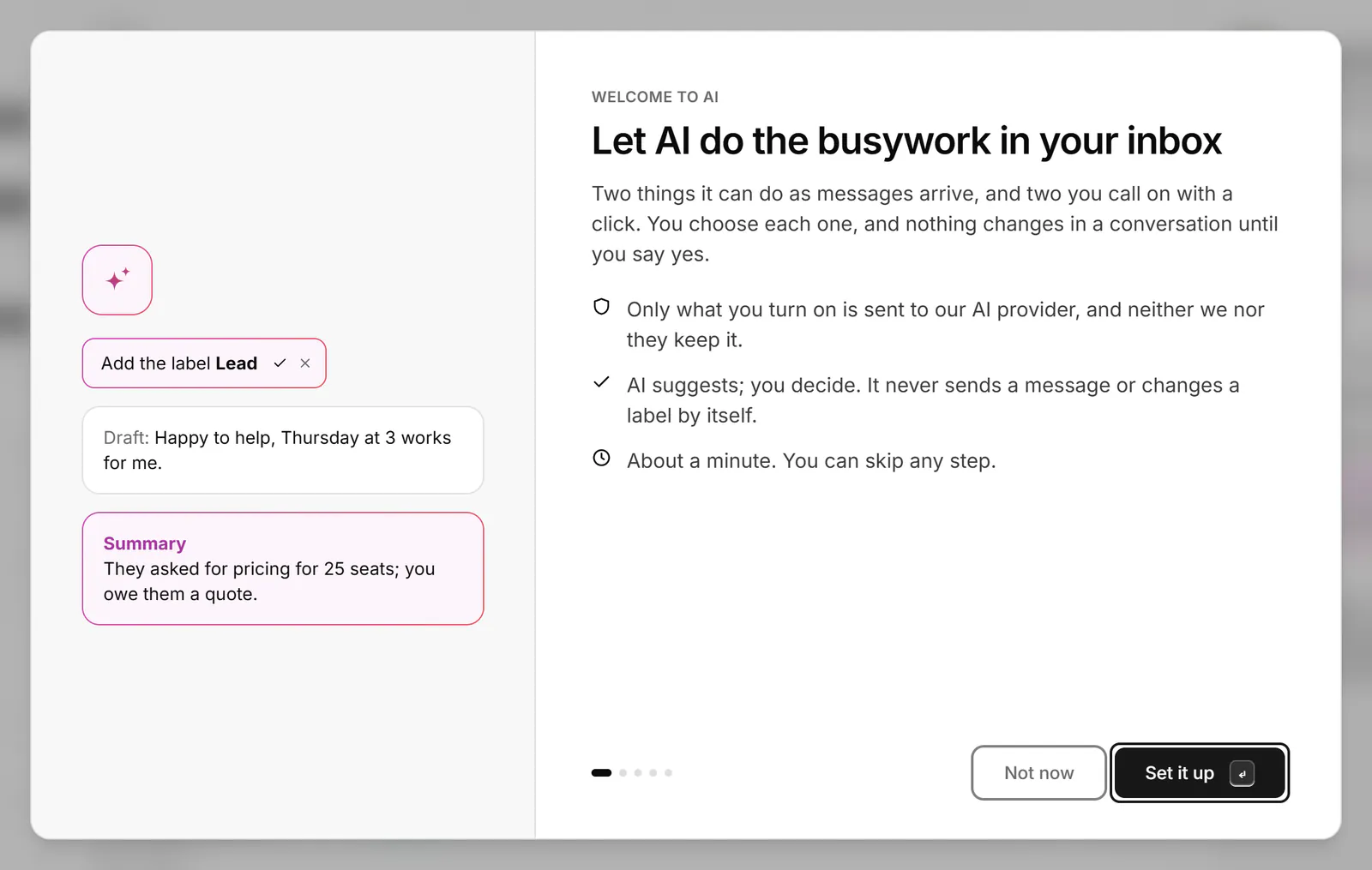
- The first time you open the inbox, Welcome to AI walks you through each feature. Choose Set it up, or Not now to skip. Only what you choose is turned on.
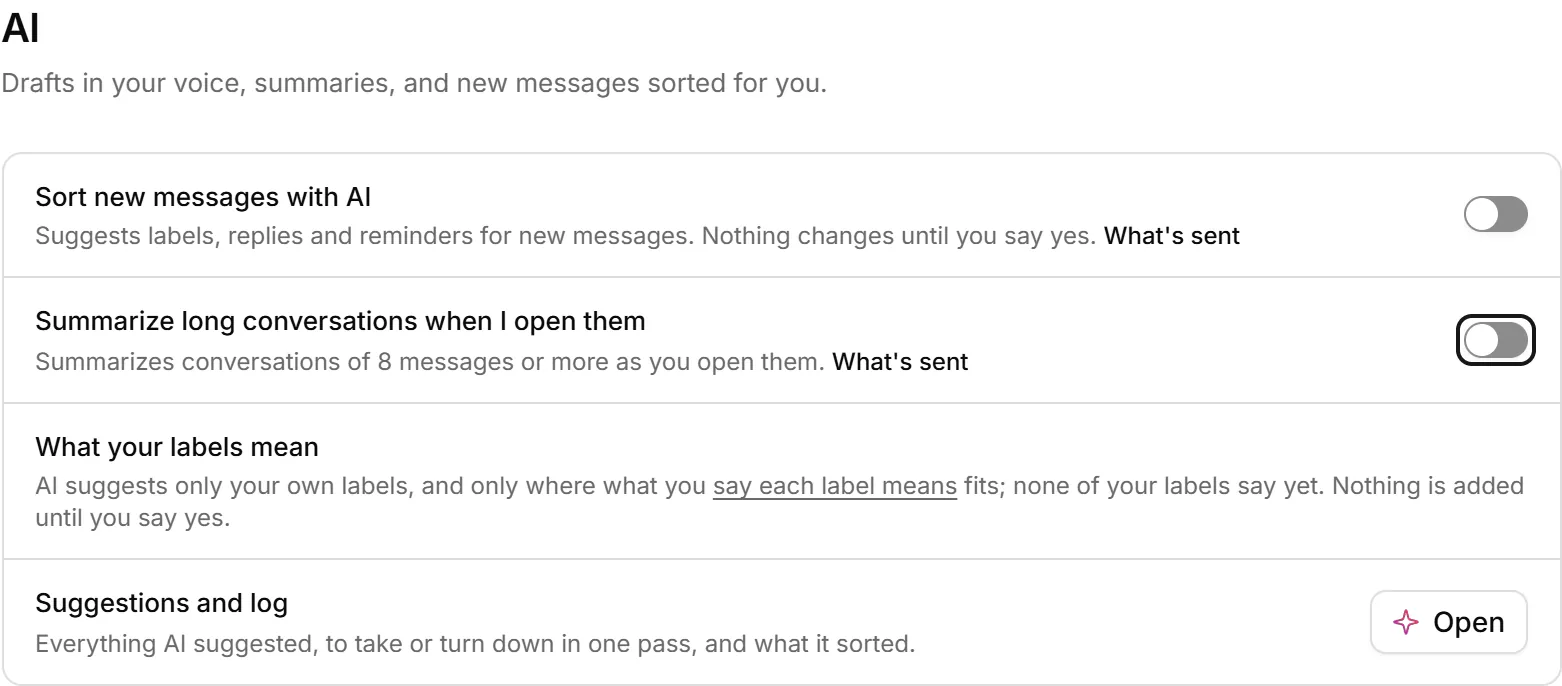
- Change any of it later in Settings → AI. Each switch has What's sent, which says what goes to our AI provider.
The AI page
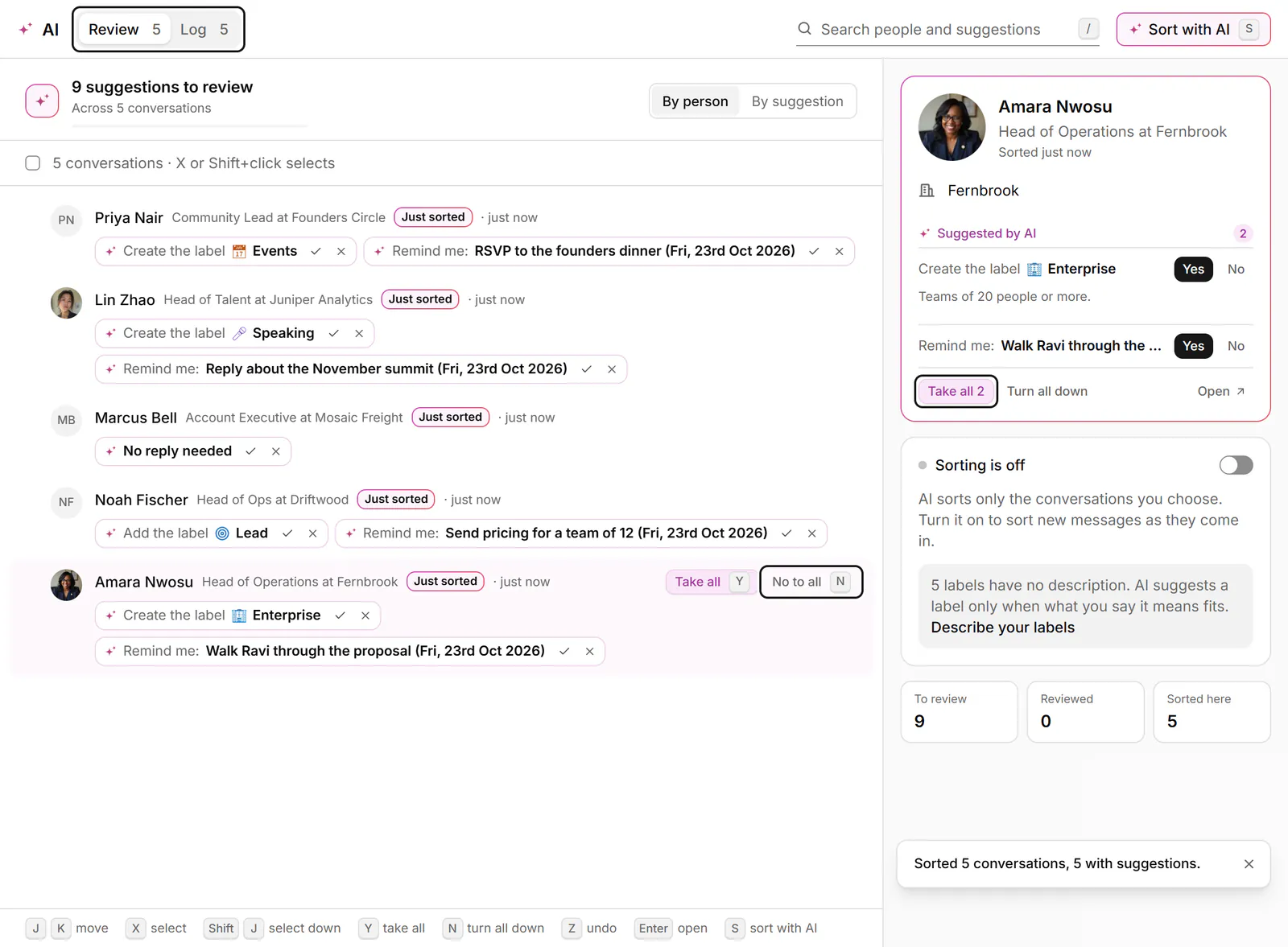
In the sidebar, AI suggestions (G then X) opens the page where you review what AI suggested, under Review, and see what came of it, under Log. Sort with AI sorts conversations you choose.
If something goes wrong
- "That's today's AI for this on the trial; it's back tomorrow." You've reached the trial's daily limit for that feature. Try again tomorrow, or upgrade to Pro.
- "You've used the AI your trial includes." Upgrade to Pro to keep using AI.
- "Connect your LinkedIn account through the extension to try AI on the trial." Install and connect the extension first.
- "The AI couldn't answer this time. Try again."
Related
- Draft a reply with AIGet a reply or follow-up drafted in your voice, rework your own text, then edit the draft and send it yourself.
- Catch up on a long conversationGet a short summary of a conversation and what you owe the other person, by hand or each time you open a long one.
- Sort my inbox with AIHave AI suggest labels, replies and reminders for your conversations, then take or turn them down in one pass.
- Choose, change or cancel a planWhat the 14-day trial, Starter and Pro include, and how to choose a plan, switch plans, update your card or cancel.
Still stuck? Email support@gobokka.com and say what you were trying to do.