AI
Draft a reply with AI
Get a reply or follow-up drafted in your voice, rework your own text, then edit the draft and send it yourself.
Draft a reply
- Open a conversation. In the reply box, choose Write with AI (the sparkle). Or press D while you're not typing in the box.
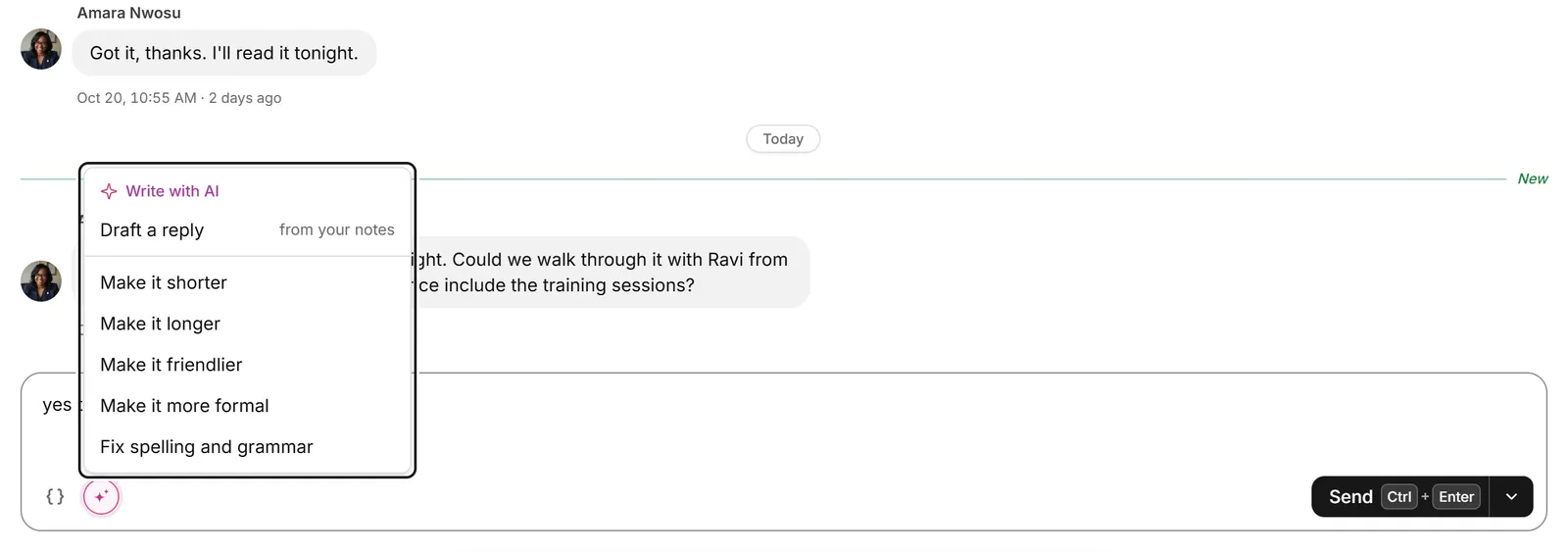
- Choose Draft a reply, or Draft a follow-up if you wrote last. If you've typed a few notes in the box, choose Draft a reply from your notes to have them written up.
- AI writes the reply in your voice. Press Esc to stop it.
- The draft goes in the box under Drafted in your voice. Edit it as you like, or choose Try again for another one.
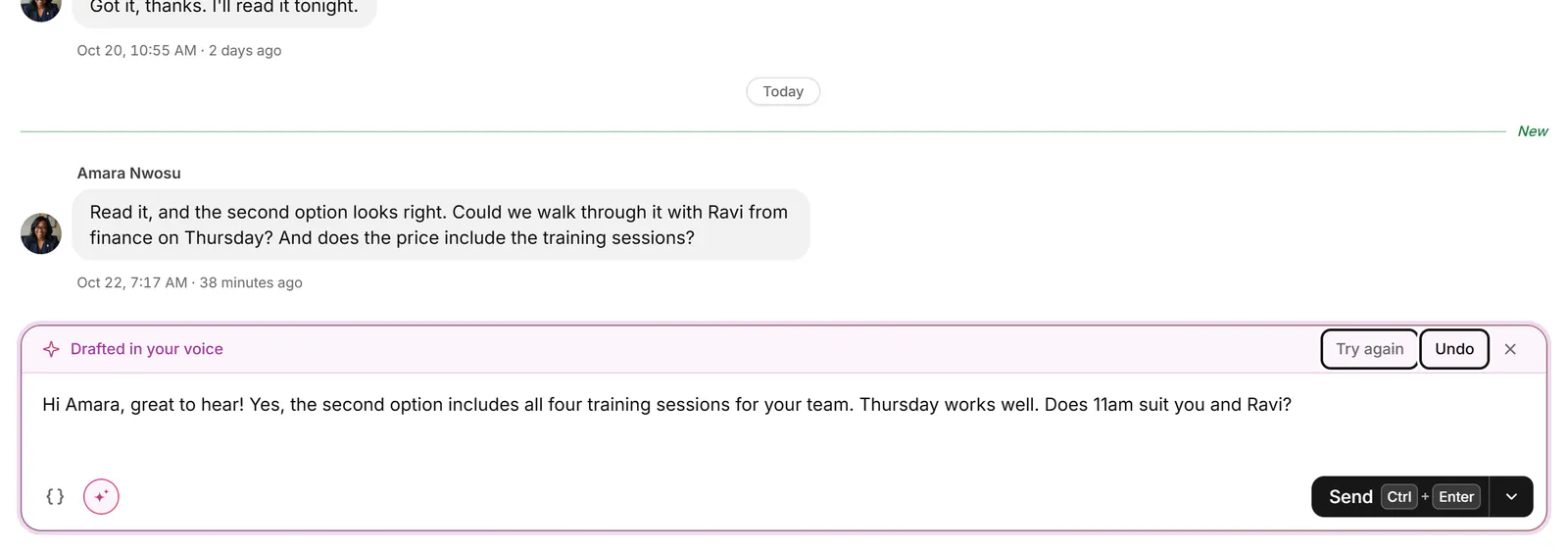
- When it reads right, send it yourself with Ctrl+Enter.
Transcript: Draft a reply with AI
- In a conversation, open Write with AI and choose Draft a reply.
- AI writes a reply in your voice and puts it in the box for you to edit.
- You can ask for it shorter, friendlier or more formal.
- Nothing is sent until you send it yourself.
Rework your own text
With text in the box, Write with AI offers Make it shorter (Shift+D outside the box), Make it longer, Make it friendlier, Make it more formal and Fix spelling and grammar. More for the message, the arrow beside Send, also has Tone and Translate to, which translates what you wrote.
To steer a draft, choose Regenerate with a note… from the same arrow and say what to change, such as “Offer two times instead of one”. Your note goes to our AI provider with the request, like the rest of it.
If something goes wrong
- "Write something first, then the AI can rework it." Type in the box before choosing a rework.
- "There's nothing in this conversation to reply to yet." A reply needs at least one message to answer.
- A limit message on the trial: see What can AI do.
Related
- What can AI do in Bokka?What AI helps with in Bokka: drafts in your voice, summaries and inbox sorting, and what it never does on its own.
- Read and reply to a conversationOpen a conversation, read back through it, and reply from the keyboard, with attachments, quick follow-ups and per-message actions.
- Reuse a reply with snippetsSave messages you send often, with placeholders for each person's name or company, and drop them into any conversation.
- Catch up on a long conversationGet a short summary of a conversation and what you owe the other person, by hand or each time you open a long one.
Still stuck? Email support@gobokka.com and say what you were trying to do.