Inbox
Clear your inbox
Work through your inbox from the keyboard: archive what's done, snooze what can wait, and star, mute or mark as read.
There's no separate Done: when a conversation is done, archive it. It leaves your views and waits in Archive.
- Press J and K to move down and up the list, and Enter or O to open a conversation.
- Press E to archive it. Bokka opens the next conversation and shows "Archived <name>" with Undo. Press Z to undo.
- Replying first? In the message box, Alt+Enter sends and archives in one go.
- Not now? Press H to snooze it or set a reminder. See Get reminded to follow up.
- Press S to star, M to mute, or U to mark as read or unread. In Archive, Shift+E moves a conversation back to the inbox.
Transcript: Clearing the inbox with the keyboard
- J and K move between conversations.
- E archives the one you're on and moves to the next. The message at the bottom says it was archived and offers Undo.
- Z undoes it, and the conversation comes back.
- S stars it, U marks it as unread, and H opens reminders.
What changes on LinkedIn
| Action | Key | On LinkedIn |
|---|---|---|
| Archive, or Move to inbox | E, Shift+E | Changes too |
| Star | S | Changes too |
| Mute | M | Changes too |
| Mark as read or unread | U | Changes too |
| Snooze or remind me… | H | In Bokka only |
| Mark as no reply needed | Shift+N | In Bokka only |
| Mark as spam | More actions or the command palette | On this device only: nothing changes on LinkedIn |
Mark as no reply needed takes a conversation out of Waiting on you and Waiting on them until a new message arrives. Mark as follow up and Reset reply status are in the command palette. Each shows a message with Undo.
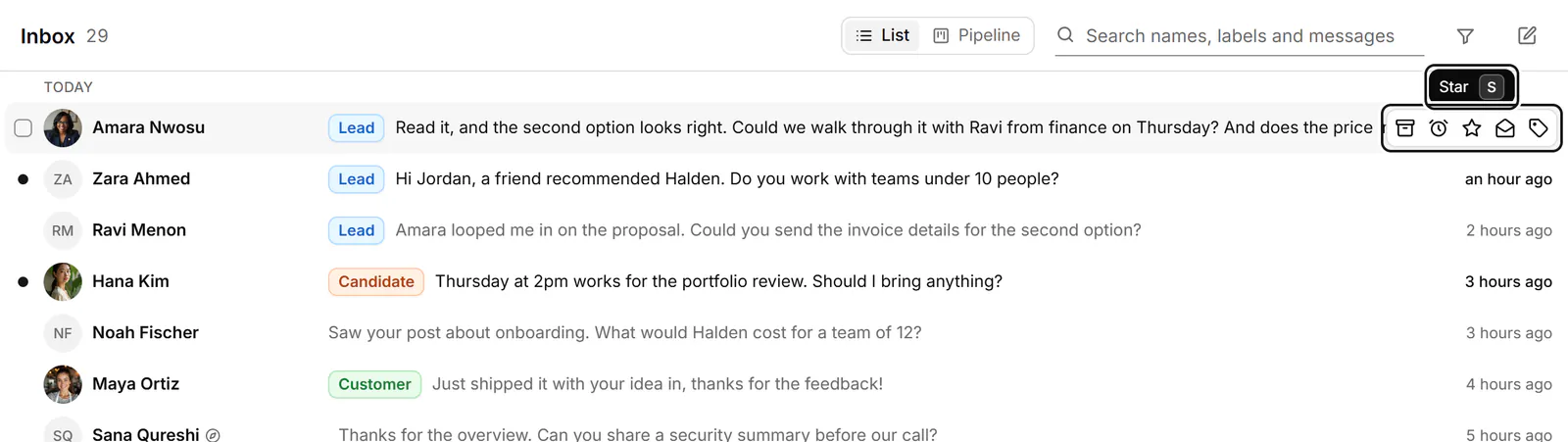
Quick actions on a row
Point at a row, or press Tab from the selected one, to reach Archive, Snooze or remind me…, Star, Mark as read or Mark as unread, and Apply labels without opening the conversation.
If something goes wrong
- "LinkedIn didn't take that change, so we put it back." Try again, or make the change on LinkedIn.
- "You're signed out of LinkedIn, so nothing changed." Sign in on linkedin.com in this browser, then try again.
- "We couldn't reach the extension, so nothing changed." Check that the extension is installed and turned on and that this tab is in front. See The extension isn't connected.
- "Changing conversations on LinkedIn is turned off right now, so nothing changed." Try again later.
- "N changes aren't on LinkedIn yet" above the list: Send to LinkedIn sends them, Undo here puts them back.
Related
- Use the inbox viewsSee what each inbox view holds and which key opens it, and choose the views your sidebar shows.
- Act on many conversations at onceSelect several conversations, then label, stage, archive, snooze, star or mute them together, or write to them all.
- Get reminded to follow upSnooze a conversation until later, or set a reminder that comes back only if the other person hasn't replied.
- Read and reply to a conversationOpen a conversation, read back through it, and reply from the keyboard, with attachments, quick follow-ups and per-message actions.
Still stuck? Email support@gobokka.com and say what you were trying to do.