Account and billing
Choose, change or cancel a plan
What the 14-day trial, Starter and Pro include, and how to choose a plan, switch plans, update your card or cancel.
Every account starts with a 14-day trial: AI included, with daily limits, and no credit card. The Upgrade badge in the account menu shows the days left.
What each plan includes
| Trial | Starter | Pro | |
|---|---|---|---|
| Price | Free for 14 days | $25 per user a month, $19 the first month of your first subscription | $35 per user a month, $30 the first month of your first subscription |
| Labels, snippets and reminders | Unlimited | Unlimited | Unlimited |
| Pipelines, board and CRM fields | Yes | Yes | Yes |
| Your whole message history | Yes | Yes | Yes |
| Connections, followers, following and invitations | Yes | Yes | Yes |
| Voice messages | Yes | Yes | Yes |
| Video messages | No | Yes | Yes |
| AI drafts, summaries, sorting and transcripts | Daily limits | No | Fair use |
| Analytics | No | No | Yes |
| Sales Navigator inbox | No | No | Yes |
| Send chats to Notion, Google Sheets and webhooks | No | No | Up to 5 |
| Connect an AI assistant | No | No | Yes |
Team is coming soon.
Choose a plan
- Open the account menu and choose Upgrade, or go to Settings → Account and press See plans.
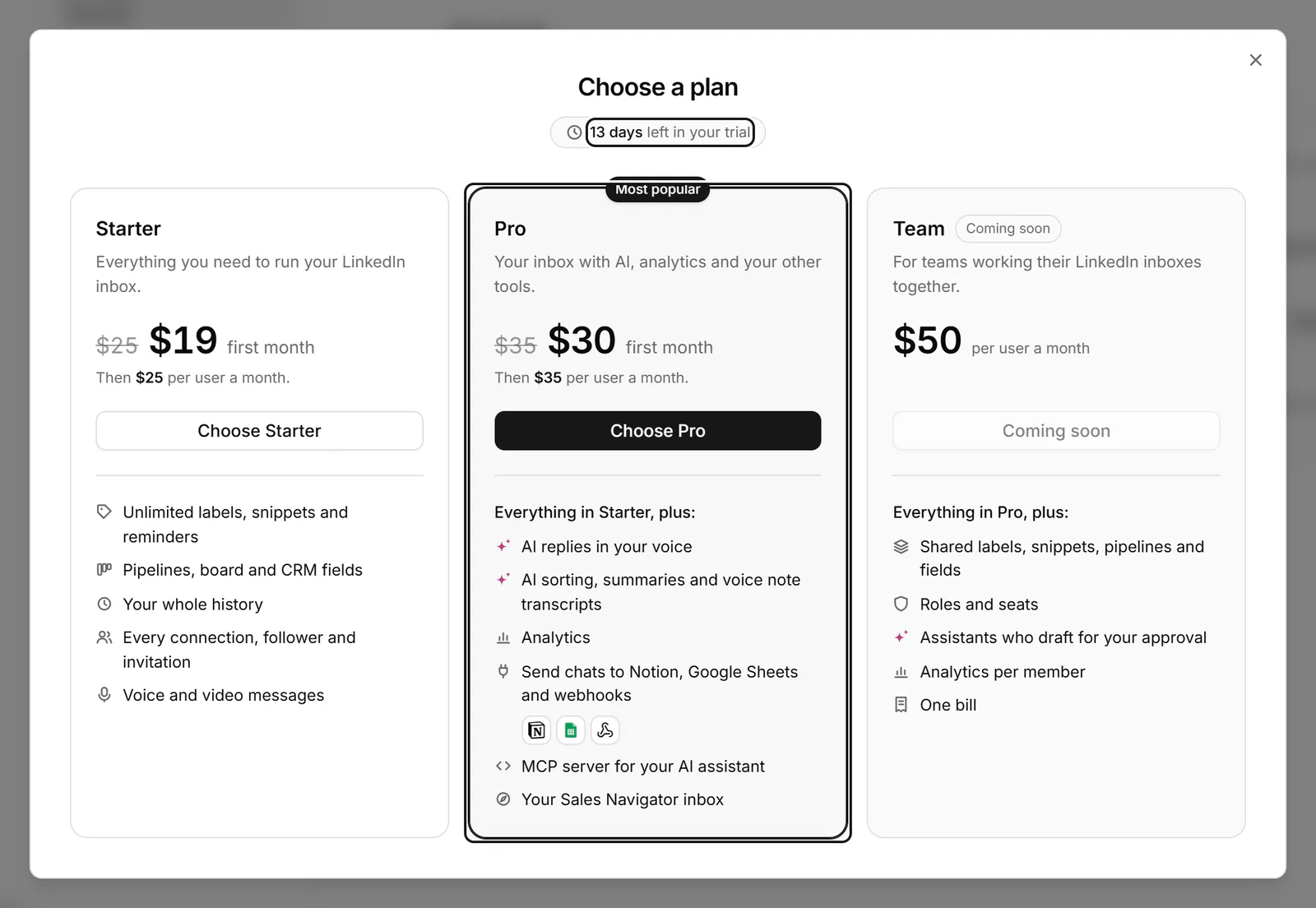
- Press Choose Starter or Choose Pro, and pay on the checkout page that opens.
- Back in Bokka, you see "You're on Pro. Thank you!" (or Starter), and the plan shows under Plan in Settings → Account.
Change your plan
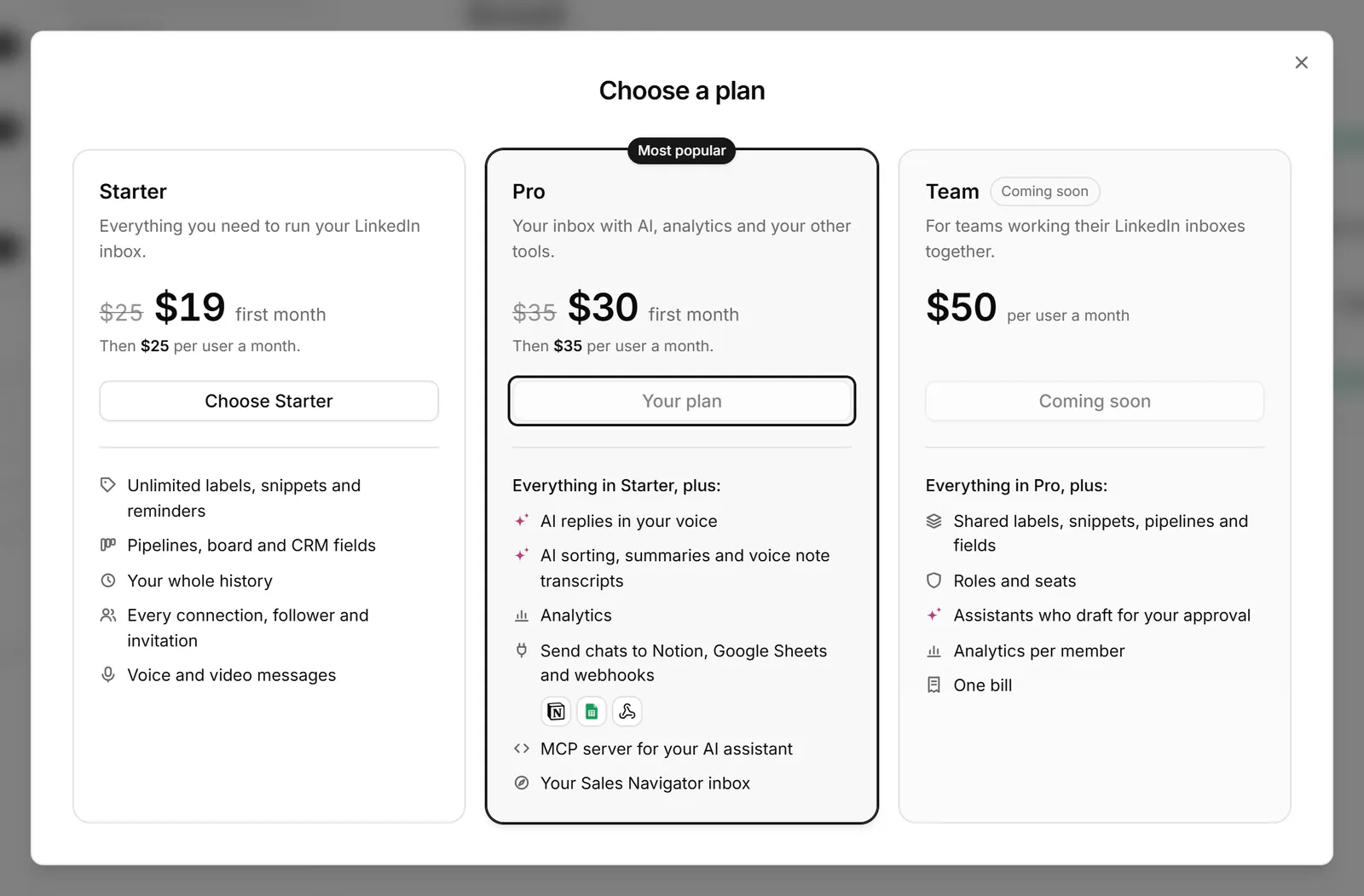
Open the plans again and press Switch to Starter or Switch to Pro. The change takes effect at your next renewal; until then you keep the plan you paid for, and Settings shows "Switching to" the new plan with its date. Your current plan is marked Your plan.
Update your card or cancel
In Settings → Account, press Manage billing. The billing page opens in a new tab, where you can change your card, see invoices or cancel. A cancelled plan runs to the end of the period you paid for, and Settings shows "Ends on" with the date.
Payments are generally non-refundable; duplicate or mistaken charges are refunded. The terms have the details.
When the trial ends
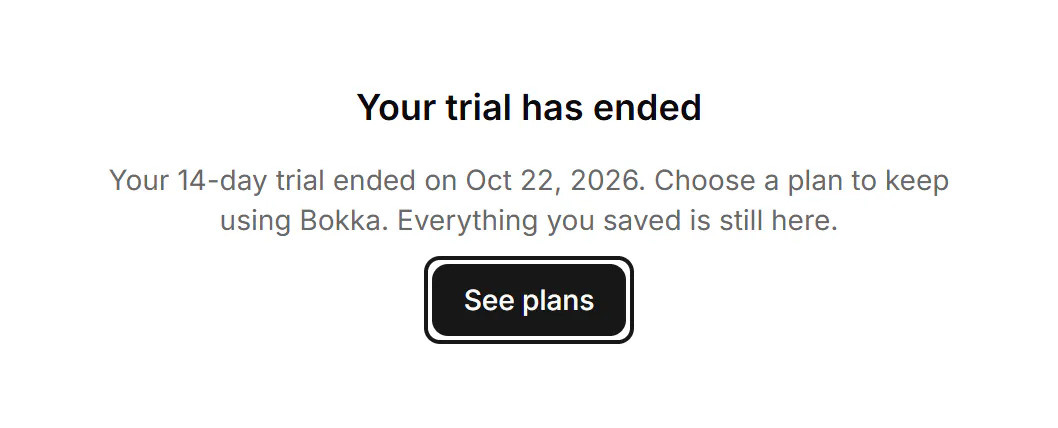
Your inbox, People and labels show "Your trial has ended", with See plans. Choose a plan to keep using Bokka. Nothing is deleted, but nothing new syncs until you choose. Settings stays open.
If something goes wrong
- "Your payment didn't go through, and you haven't been charged. Try again."
- "Your payment is still being confirmed. Your plan shows here in a few minutes."
- "Your last payment didn't go through. Update your card in Manage billing to keep your plan."
- "Your plan is paused. Resume it in Manage billing."
- "Your plan is set to end. Turn renewal back on in Manage billing, then switch."
- "This LinkedIn account already had its 14-day trial with another email." Choose a plan to keep going.
Related
- What's in SettingsWhere to find each setting: your LinkedIn account, sign-in, plan and extension, preferences, labels, AI and more.
- Delete your account or clear this deviceClear the messages stored in this browser to start fresh, or delete your account and everything we keep for it.
- What can AI do in Bokka?What AI helps with in Bokka: drafts in your voice, summaries and inbox sorting, and what it never does on its own.
- Common questionsQuick answers about where your messages are stored, which browsers work, LinkedIn accounts, AI, the trial and deleting your data.
Still stuck? Email support@gobokka.com and say what you were trying to do.