People
Find the right people
Narrow your connections, followers or following with search, field searches like company = apple, and filters.
Search a list
- Press / to focus the search, such as Search connections. It looks through names, headlines, places and labels.
- Search one field with
field = value. The Tips panel lists examples; click one to try it. - On Connections, if nobody matches, press Enter to search your connections on LinkedIn as well.
| Type | To find |
|---|---|
company = apple | People who work at Apple |
title = director | Directors, whatever the company |
company = apple & title = director | Both at once |
"head of sales" | That exact phrase, anywhere |
persona = founder | Founders, going by their headline |
You can also search name, firstName, lastName, headline, location, label and premium = yes. Title and company come from the headline.
Filter a list
- Press F, or choose Filter. The menu has Messages, Relationship, Profile, Persona, Company and Connected.
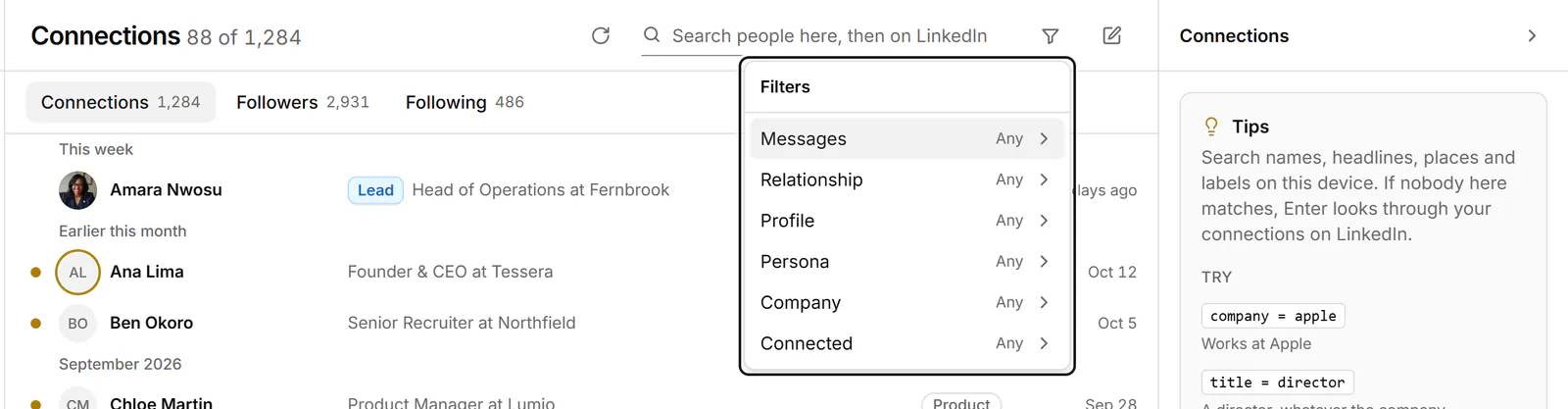
- Pick a value. Each filter shows as a chip above the list; its × removes it, and Clear filters removes them all.
If something goes wrong
- "Checked against … loaded so far." The filter looked only at the people loaded so far. Scroll to load more.
- "None of your 1st-degree connections on LinkedIn match…" Nobody you're connected to matches. Check the spelling, or search fewer words.
Related
- Work through connections, followers and followingBrowse your LinkedIn connections, followers and the people you follow, then label them, keep notes and message them.
- Find a conversationSearch conversations by name, label or message text, search inside one conversation, and narrow the list with filters.
- Label conversationsTag conversations and people with labels, work each label as its own list, and manage your labels in Settings.
Still stuck? Email support@gobokka.com and say what you were trying to do.