AI
Catch up on a long conversation
Get a short summary of a conversation and what you owe the other person, by hand or each time you open a long one.
Summarize a conversation
- Open the conversation and press Shift+Y (with the cursor outside the reply box). You can also type
/in the box and choose Summarize the conversation, or use the command palette. - A Summary pill appears in the conversation header. Open it to read the main points and Up next: what you owe them, such as an answer to a question.
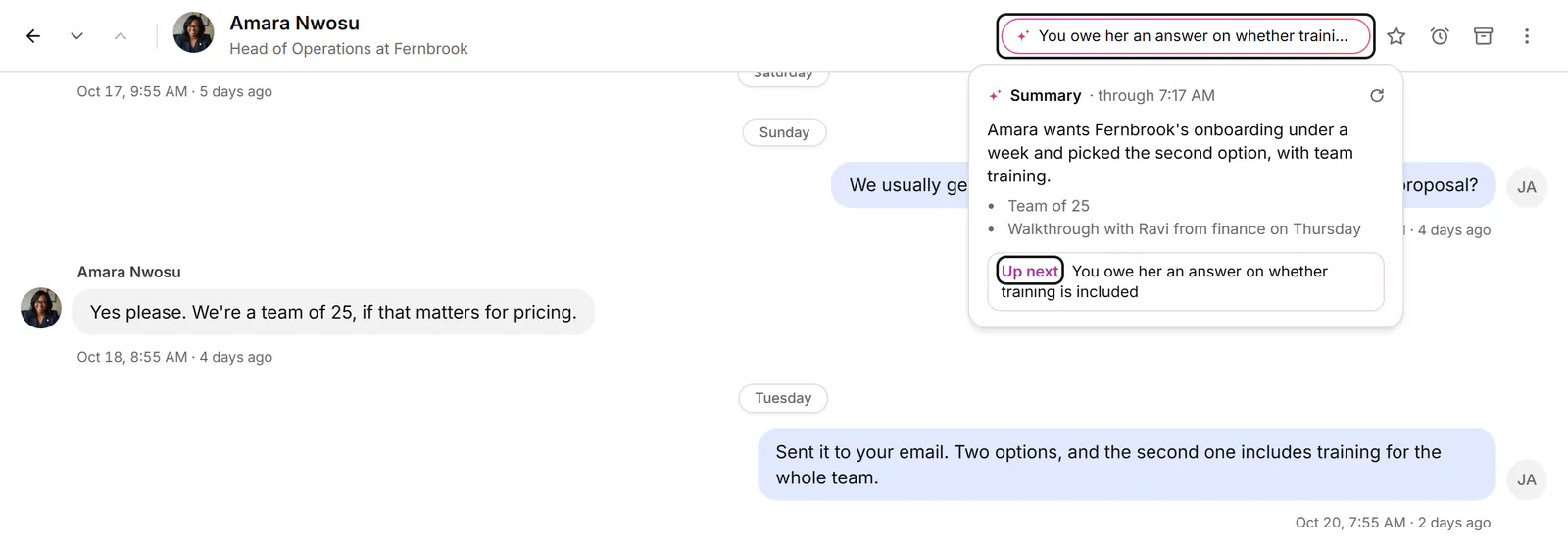
- When newer messages arrive, choose Update the summary to bring it up to date.
Summarize long conversations as you open them
In Settings → AI, turn on Summarize long conversations when I open them. Conversations of 8 messages or more are then summarized as you open them. What's sent beside the switch says what goes to our AI provider.
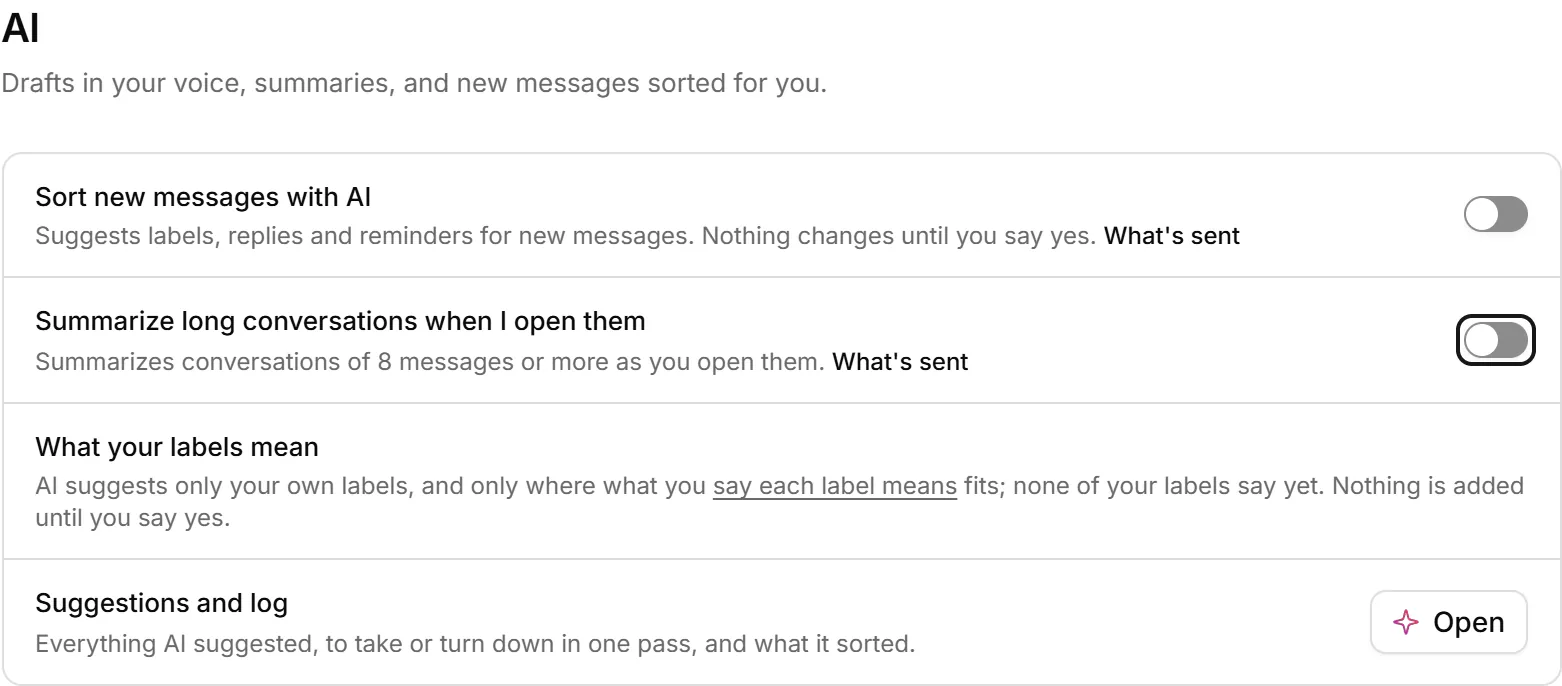
Summaries are kept on this device only, so another browser won't show the ones made here.
Related
- What can AI do in Bokka?What AI helps with in Bokka: drafts in your voice, summaries and inbox sorting, and what it never does on its own.
- Draft a reply with AIGet a reply or follow-up drafted in your voice, rework your own text, then edit the draft and send it yourself.
- Sort my inbox with AIHave AI suggest labels, replies and reminders for your conversations, then take or turn them down in one pass.
- What's in SettingsWhere to find each setting: your LinkedIn account, sign-in, plan and extension, preferences, labels, AI and more.
Still stuck? Email support@gobokka.com and say what you were trying to do.