How many InMail credits do you get a month on LinkedIn?
Premium Career gets 5 InMail credits a month, Business 15, Recruiter Lite 30 and Sales Navigator Core 50. How they renew, roll over and come back.
By Amardeep Anand, founder of Bokka · Published · 2 min read
On this page
Premium Career gives you 5 InMail credits a month, Premium Business 15, Recruiter Lite 30 and Sales Navigator Core 50. Unused credits build up to a cap, and every InMail that's accepted, declined or answered within 90 days is credited back.
An InMail credit pays for one InMail, LinkedIn's message to a member you aren't connected to. A credit back is a credit LinkedIn returns when the person responds. Bokka is an AI-first CRM for your LinkedIn inbox.
InMail credits by plan
| Plan | Credits a month | Most you can hold |
|---|---|---|
| Premium Career | 5 | 15 |
| Premium Business | 15 | 45 |
| Recruiter Lite | 30 | 120 |
| Sales Navigator Core | 50 | 150 (Sales Navigator) |
| Hiring Pro | Not listed monthly | 5 per job |
Source: LinkedIn Help: InMail credits and renewal, retrieved November 1, 2026. LinkedIn's LinkedIn Help: InMail FAQ, retrieved November 1, 2026 also lists Premium All-in-One at 30 a month, up to 90, and says Hiring Pro InMail uses its own credits, separate from standard InMail. Your current balance is on your My Premium page.
When credits renew
Premium credits arrive on the first day of your billing cycle, based on when you signed up. Sales Navigator credits renew on the first day of each month, whatever your billing date (LinkedIn Help: InMail credits and renewal, retrieved November 1, 2026). The InMail FAQ adds that credits expire after 90 days, which is why each plan caps what you can hold.
How to get credits back
Every InMail that's accepted, declined or responded to within 90 days of sending is credited back. One left pending counts as neither, so its credit doesn't return. Quick Replies count as a response (LinkedIn Help: InMail credits and renewal, retrieved November 1, 2026).
For example, on Premium Business you get 15 credits. Say you send 10 InMails in a month: 4 people reply, 2 decline and 4 never open them. The 6 who replied or declined give their credits back, so those 10 InMails cost you 4 credits.
Rules that catch people out
- No unlimited plan. LinkedIn doesn't offer one.
- No top-ups. You can't buy InMail credits outside your monthly allowance (LinkedIn Help: send an InMail, retrieved November 1, 2026).
- Cancelling empties them. If you cancel Premium, your balance goes to zero.
- Upgrading doesn't carry them over. Credits don't transfer when you upgrade.
- Separate products. Premium credits can't be used in Sales Navigator or Recruiter.
- One at a time. You can't send another InMail to someone until they respond to the last one. LinkedIn sends them an automatic reminder within three days.
Sources: LinkedIn Help: InMail credits and renewal, retrieved November 1, 2026 and LinkedIn Help: InMail FAQ, retrieved November 1, 2026.
Make your credits go further
- Connect first when you can. A note on an invitation costs nothing (LinkedIn Help: InMail vs personalized invitations, retrieved November 1, 2026), and once you're connected you can message freely.
- Look for Open Profile. If a Premium member has it on, you can message them for free (LinkedIn Help: send an InMail, retrieved November 1, 2026).
- Write InMails that are easy to answer. A clear question gets a yes or a no, and either one gives your credit back.
- Keep it short. See the InMail character limit.
Keeping track of InMail replies in Bokka
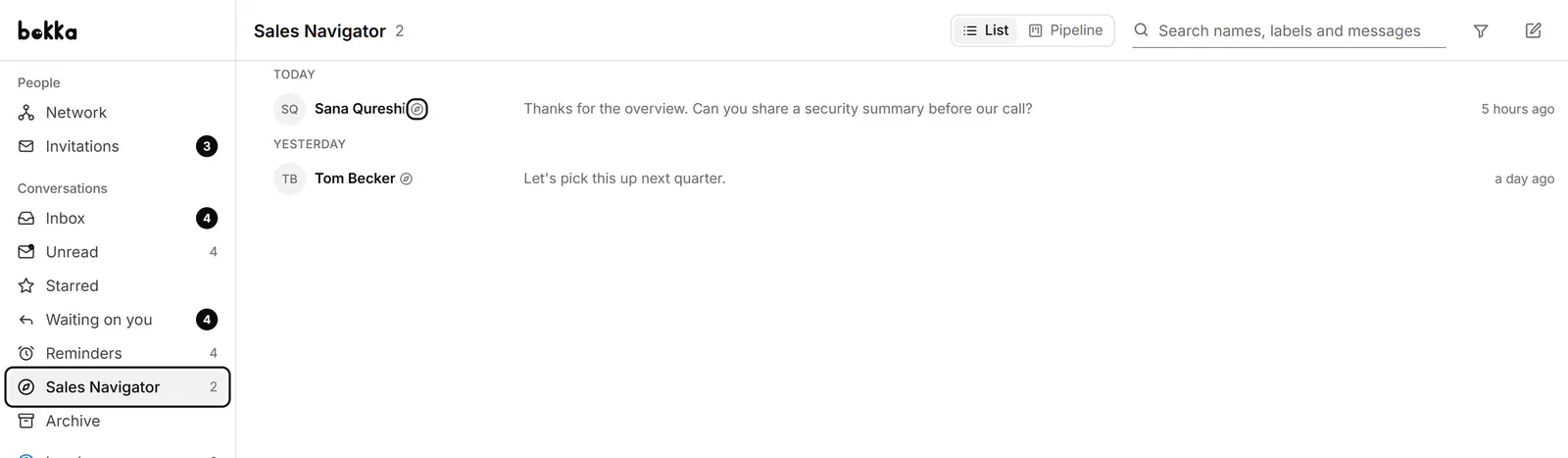
Because you can't send a second InMail until they answer, the follow-up that matters is yours: noticing the reply. On Pro, Bokka shows your Sales Navigator inbox beside your LinkedIn one, where replies to Sales Navigator InMails land, with the same labels, notes and reminders. Waiting on them (Shift+S) lists one-to-one conversations where you wrote last. Bokka doesn't send InMail itself. See Sales Navigator and LinkedIn messages in one place.
About Bokka
Bokka starts with a free 14-day trial, AI included and no credit card. After it, Starter is $25 and Pro is $35 per user a month ($19 and $30 for your first month). Team, at $50, is coming soon.
Frequently asked questions
How many InMails do you get with LinkedIn Premium?
Premium Career has 5 InMail credits a month and Premium Business 15, according to LinkedIn Help. Sales Navigator Core has 50 and Recruiter Lite 30.
Do unused InMail credits roll over?
Yes, up to a cap: 15 on Premium Career, 45 on Premium Business, 150 on Sales Navigator and 120 on Recruiter Lite.
Can I buy more InMail credits?
No. LinkedIn says you can't buy credits outside your monthly allowance. If you run out, the options are waiting for renewal or a plan with more credits.
Do I get the credit back if they decline my InMail?
Yes. An InMail that's accepted, declined or answered within 90 days is credited back. One left pending isn't.
Sources
Other products' prices and features were read on their own pages on November 1, 2026. They change; check each page before you buy.
Join the waitlist for early access to Bokka. Your first 14 days are free, AI included, with no credit card. It runs in Chrome, Edge, Brave and Arc on a desktop or laptop.
Join the waitlistAbout the author
Amardeep Anand founded Bokka, the AI-first CRM for your LinkedIn inbox, and runs it from Deoghar, India. Questions or corrections: support@gobokka.com.