Why can't I message someone on LinkedIn? 7 reasons
You can message 1st-degree connections for free. For anyone else you need InMail, Open Profile or a message request; a block or restriction stops all of them.
By Amardeep Anand, founder of Bokka · Published · 2 min read
On this page
You usually can't message someone on LinkedIn because you aren't connected: LinkedIn lets you message your 1st-degree connections for free, and anyone else only through InMail, Open Profile or a message request. If you are connected and still can't, one of you may have blocked the other, or the account may be restricted.
A 1st-degree connection is someone who accepted your invitation or whose invitation you accepted. InMail is a paid message to someone you aren't connected to. Bokka is an AI-first CRM for your LinkedIn inbox.
Who LinkedIn lets you message
| Who | Can you message them? | How |
|---|---|---|
| Your 1st-degree connections | Yes, free | The Message button |
| LinkedIn Pages | Yes, free | A message to the Page |
| Premium members with Open Profile on | Yes, free, up to a limit | The Message button on their profile |
| Members of a LinkedIn Group you're in | By message request | A message request |
| Your current coworkers | By message request | A message request |
| Anyone else | Only with InMail | A Premium plan and an InMail credit |
Sources: LinkedIn Help: send messages on LinkedIn, retrieved November 10, 2026, LinkedIn Help: messaging overview, retrieved November 10, 2026 and LinkedIn Help: send an Open Profile message, retrieved November 10, 2026. What the numbers mean is in 1st, 2nd and 3rd on LinkedIn.
The seven reasons you can't message someone
1. You aren't connected
LinkedIn says you can only message your 1st-degree connections for free, apart from fellow members within group pages (LinkedIn Help: messaging overview, retrieved November 10, 2026). For a 2nd or 3rd-degree member, there's no free Message button unless one of the routes below applies.
2. You don't have Premium, or you're out of InMail credits
InMail lets you message a member you aren't connected to. With a Basic (free) account, LinkedIn says you must upgrade to Premium to use it, and credits come only from your monthly allotment: you can't buy more (LinkedIn Help: send an InMail, retrieved November 10, 2026). How InMail differs from a message is in InMail vs message, and the allowances are in how many InMail credits you get.
3. They've turned off InMail
LinkedIn says you can't message a member who has chosen not to receive InMail in their message preferences (LinkedIn Help: send an InMail, retrieved November 10, 2026). Members set this under Settings & Privacy, Data privacy, Who can reach you, Messages. They can't stop messages from 1st-degree connections there, only block someone (LinkedIn Help: manage the messages you receive, retrieved November 10, 2026).
4. They don't have Open Profile on
Open Profile lets members contact a Premium member for free. It's the Premium member's choice, and LinkedIn limits how many Open Profile messages you can send in a given time period. On a computer, a free Open Profile message starts from the Message button in their introduction section (LinkedIn Help: send an Open Profile message, retrieved November 10, 2026).
5. It has to go as a message request
Coworkers and members of your groups can be reached with a message request instead. Requests can't carry attachments, and if the person declines, you aren't told. LinkedIn also says it may limit your ability to message members you aren't connected to (LinkedIn Help: message requests, retrieved November 10, 2026). More in LinkedIn message requests.
6. One of you blocked the other
Blocking works both ways: "You won't be able to message each other on LinkedIn." It also ends the connection, and in most cases the blocked member isn't notified (LinkedIn Help: block a member, retrieved November 10, 2026). LinkedIn also says members can't message anyone who has blocked them (LinkedIn Help: send messages on LinkedIn, retrieved November 10, 2026).
7. An account is restricted, or you hit a limit
LinkedIn limits how many messages a member can send in a certain time period (LinkedIn Help: send messages on LinkedIn, retrieved November 10, 2026). When an account is permanently restricted, its owner can't use it, and LinkedIn says other people can no longer find the profile or message it (LinkedIn Help: permanent account restrictions, retrieved November 10, 2026).
If you can't message anyone at all
When every message fails, not just one person's, LinkedIn's troubleshooting starts with your InMail credits for non-connections, then another browser or a private window, extensions off, cache and cookies cleared and VPN off (LinkedIn Help: troubleshoot message sending issues, retrieved November 10, 2026). The full list is in LinkedIn messages not loading.
Messaging people in Bokka
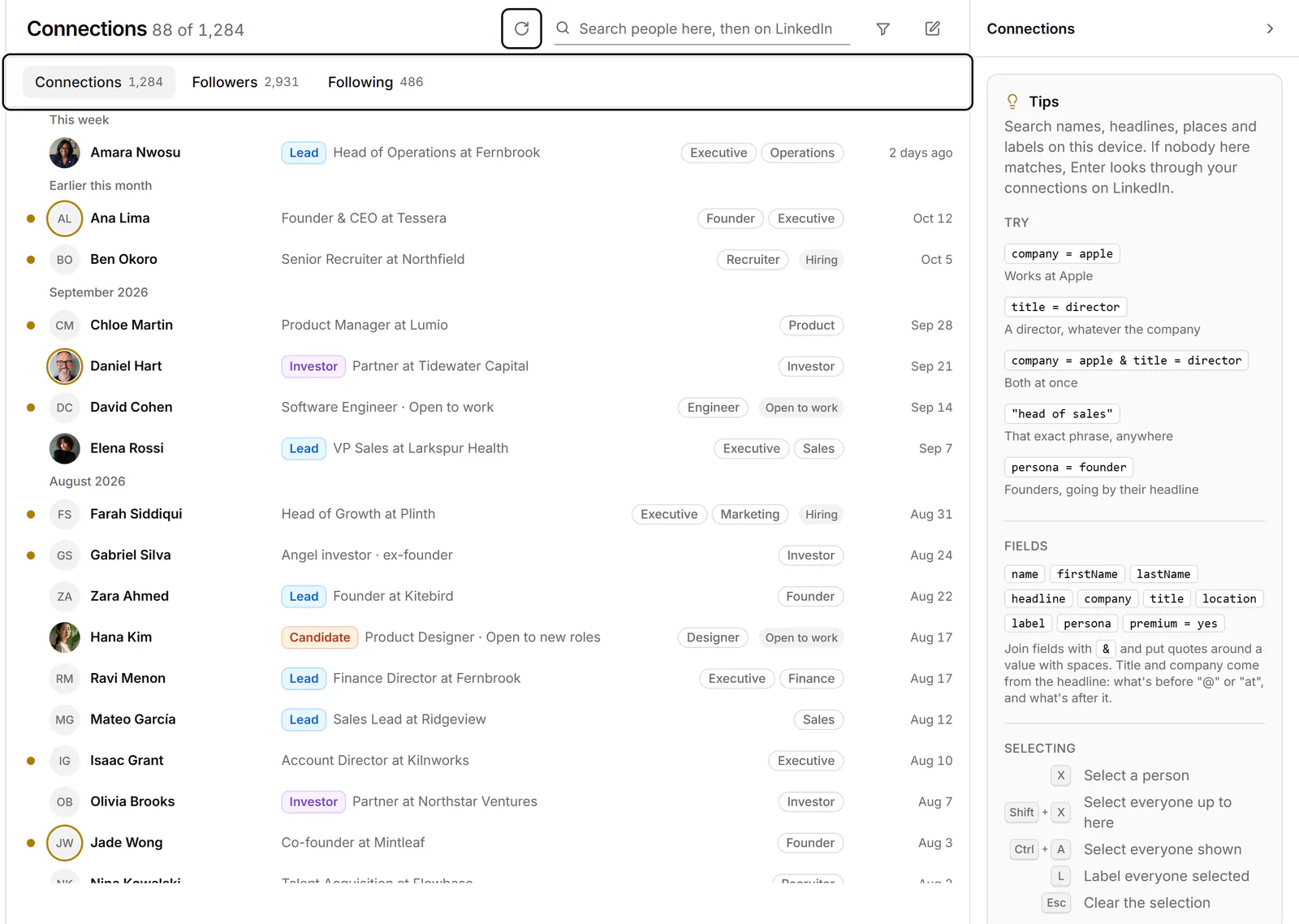
Bokka follows the same rules, because every message goes through your own LinkedIn account. In People, you can message someone once you're connected: press Enter on a connection to open your conversation or start one (Work through connections, followers and following). In New message, the suggestions from LinkedIn are your connections and your group conversations (Start a new conversation).
Bokka has no way round InMail, Open Profile or a block, and sends nothing without your own Enter or click.
About Bokka
Bokka starts with a free 14-day trial, AI included and no credit card. After it, Starter is $25 and Pro is $35 per user a month ($19 and $30 for your first month). Team, at $50, is coming soon.
Frequently asked questions
Why is there no Message button on someone's LinkedIn profile?
Usually because you aren't connected. LinkedIn lets you message 1st-degree connections for free; for others you need InMail, or the person must be a Premium member with Open Profile turned on.
Can you message someone on LinkedIn without being connected?
Yes, in three ways: InMail with a Premium plan, a free message to a Premium member with Open Profile on, or a message request to a coworker or someone in your LinkedIn Group.
If someone blocks you on LinkedIn, can you message them?
No. LinkedIn says that after a block you won't be able to message each other, the connection ends, and in most cases the blocked member isn't notified.
Can someone stop me sending them InMail?
Yes. A member can turn off InMail in their message preferences, and LinkedIn says you then can't message them that way.
Why can't I send messages on LinkedIn to anyone?
If it's every message, LinkedIn's steps are another browser or a private window, extensions off, cache and cookies cleared and VPN off. LinkedIn also limits how many messages a member can send in a given time.
Sources
Other products' prices and features were read on their own pages on November 10, 2026. They change; check each page before you buy.
- LinkedIn Help: send messages on LinkedIn
- LinkedIn Help: messaging overview
- LinkedIn Help: send an InMail message
- LinkedIn Help: send an Open Profile message
- LinkedIn Help: send, receive and manage message requests
- LinkedIn Help: manage the types of messages you receive
- LinkedIn Help: block a member
- LinkedIn Help: permanent account restrictions
- LinkedIn Help: troubleshoot message sending issues
Join the waitlist for early access to Bokka. Your first 14 days are free, AI included, with no credit card. It runs in Chrome, Edge, Brave and Arc on a desktop or laptop.
Join the waitlistAbout the author
Amardeep Anand founded Bokka, the AI-first CRM for your LinkedIn inbox, and runs it from Deoghar, India. Questions or corrections: support@gobokka.com.