LinkedIn messages not loading? The fixes LinkedIn gives
Try another browser or a private window, turn off extensions and VPN, clear cache and cookies, update the app, and check linkedin-status.com. In that order.
By Amardeep Anand, founder of Bokka · Published · 2 min read
On this page
When LinkedIn messages won't load or send, LinkedIn's help pages give the same short list: try another browser or a private window, turn off browser extensions, clear your cache and cookies, and turn off any VPN. If none of that helps, check LinkedIn's status page, then contact LinkedIn Support with a screenshot.
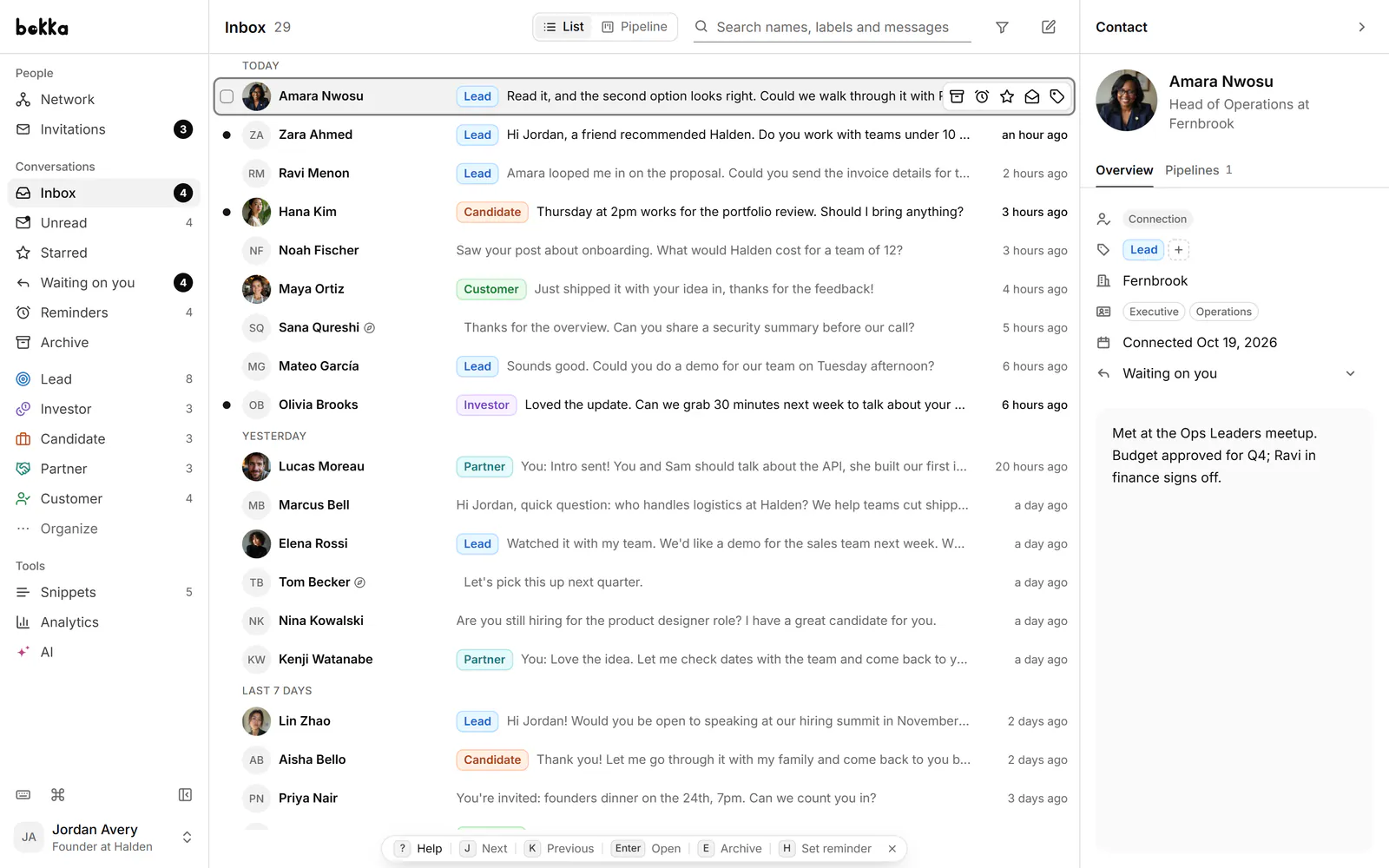
LinkedIn has no help page just for an inbox that won't load. Its closest pages are the one for messages that won't send and its basic troubleshooting tips, and this post follows them in order. Bokka is an AI-first CRM for your LinkedIn inbox.
On a computer: the steps, in order
LinkedIn asks you to try messaging again after each step (LinkedIn Help: troubleshoot message sending issues, retrieved November 10, 2026).
- Try a different browser, or a private (incognito) window. A private window starts without your saved cookies and, usually, without your extensions, so it's a quick test.
- Turn off your browser extensions. If messaging works with them off, turn them back on one at a time to find the one that clashes.
- Clear your cache and cookies. Choose All time or Everything as the time range. This signs you out of every website, not just LinkedIn.
- Turn off your VPN, if you use one.
- On a work laptop, try another device. If the problem only happens on a work device or a work VPN, LinkedIn says to contact your IT department.
- Sign out and back in, from the Me icon on your LinkedIn homepage.
Sources: LinkedIn Help: troubleshoot message sending issues, retrieved November 10, 2026, LinkedIn Help: troubleshoot common LinkedIn issues, retrieved November 10, 2026 and LinkedIn Help: clear your cache and cookies, retrieved November 10, 2026. LinkedIn also says your browser's pop-up blocker can get in the way, so try turning it off (LinkedIn Help: troubleshoot common LinkedIn issues, retrieved November 10, 2026).
Check that your browser is supported
LinkedIn supports the current and previous major releases of Microsoft Edge, Firefox, Chrome and Safari on a computer. It warns that an outdated browser may block access to LinkedIn, and some features may not work (LinkedIn Help: supported browsers, retrieved November 10, 2026). Internet Explorer hasn't been supported since July 1, 2020.
In the LinkedIn app
Update the app first. LinkedIn says that on a version it no longer supports, you won't get an optimal experience (LinkedIn Help: update the LinkedIn mobile app, retrieved November 10, 2026).
| Phone | How to update the LinkedIn app |
|---|---|
| iPhone | Open the App Store, tap your profile photo in the upper-right corner, scroll to pending updates and tap Update next to LinkedIn. |
| Android | Open Google Play, tap your profile photo, tap Manage apps and device, then Updates available, and tap Update next to LinkedIn. |
If the app still won't show your messages, open LinkedIn in a supported browser instead. LinkedIn points to that as the alternative (LinkedIn Help: update the LinkedIn mobile app, retrieved November 10, 2026).
Is LinkedIn down?
If nothing loads for you and colleagues see the same, the problem may be LinkedIn's. Its help page points to linkedin-status.com for near real-time information about its services, with past outages listed (LinkedIn Help: site status page, retrieved November 10, 2026). If the status page shows a problem, wait; nothing on your side will fix it.
If LinkedIn freezes, loads slowly or shows a "Site Maintenance" message for you alone, LinkedIn's older help page suggests flushing your computer's DNS cache, after checking with your IT department on a work computer (LinkedIn Help: unable to access or navigate LinkedIn, retrieved November 10, 2026).
What to send LinkedIn Support
When the steps don't work, LinkedIn asks for a HAR file of the problem (a recording of what your browser loaded), a screenshot of the error, the profile URL of the person you're writing to, the message, and permission to try sending it themselves (LinkedIn Help: troubleshoot message sending issues, retrieved November 10, 2026). For other problems it asks for the steps that cause it, the browsers and versions you tried, and a screenshot (LinkedIn Help: troubleshoot common LinkedIn issues, retrieved November 10, 2026).
When it's one person you can't message
If every conversation loads but one person can't be reached, it isn't a loading problem. LinkedIn may need an InMail, the person may have turned InMail off, or one of you may have blocked the other. For messages from people you aren't connected to, see LinkedIn message requests; for conversations that seem to have vanished, check the other folders in LinkedIn message folders.
If you use Bokka
Bokka loads your LinkedIn messages through your own LinkedIn session, in your browser, while Bokka is open in a tab. If conversations are missing there, its help article My inbox is empty or messages are missing lists what to check, quickest first: the open tab, the extension and your LinkedIn sign-in, the view, the filters and search.
Two lines you may see in Bokka: "You're signed out of LinkedIn in this browser." means signing in on linkedin.com and pressing Check again; "We couldn't reach the Bokka extension in this browser profile." is answered in The extension isn't connected.
About Bokka
Bokka starts with a free 14-day trial, AI included and no credit card. After it, Starter is $25 and Pro is $35 per user a month ($19 and $30 for your first month). Team, at $50, is coming soon.
Frequently asked questions
Why are my LinkedIn messages not loading?
Often it's the browser: an extension, old cache and cookies, a VPN or an outdated browser version. LinkedIn suggests another browser or a private window, extensions off, cache and cookies cleared and VPN off, trying again after each step.
Why can't I see my LinkedIn messages on the app?
Update the LinkedIn app from the App Store or Google Play first; LinkedIn says an unsupported version won't give you an optimal experience. If they still don't show, open LinkedIn in a supported browser.
How do I know if LinkedIn messaging is down?
LinkedIn's help points to linkedin-status.com for near real-time information about its services and past outages. If it shows a problem, wait for LinkedIn to fix it.
Does clearing cache fix LinkedIn messages?
It's one of LinkedIn's suggested steps. Choose All time or Everything as the range, and expect to be signed out of every website, not only LinkedIn.
What does LinkedIn Support need to fix a messaging problem?
A HAR file of the problem, a screenshot of the error, the recipient's profile URL, the message, and permission to try sending it to that person.
Sources
Other products' prices and features were read on their own pages on November 10, 2026. They change; check each page before you buy.
- LinkedIn Help: troubleshoot message sending issues
- LinkedIn Help: troubleshoot common LinkedIn issues
- LinkedIn Help: clear your cache and cookies
- LinkedIn Help: supported internet browsers for LinkedIn
- LinkedIn Help: update to the newest version of the LinkedIn mobile app
- LinkedIn Help: LinkedIn site status page
- LinkedIn Help: unable to access or navigate in LinkedIn.com
Join the waitlist for early access to Bokka. Your first 14 days are free, AI included, with no credit card. It runs in Chrome, Edge, Brave and Arc on a desktop or laptop.
Join the waitlistAbout the author
Amardeep Anand founded Bokka, the AI-first CRM for your LinkedIn inbox, and runs it from Deoghar, India. Questions or corrections: support@gobokka.com.