Does LinkedIn have message folders? What to use instead
LinkedIn messaging has no custom folders, only Focused, Other, Archived and Spam plus a few filters. How to organise conversations by person and deal instead.
By Amardeep Anand, founder of Bokka · Published
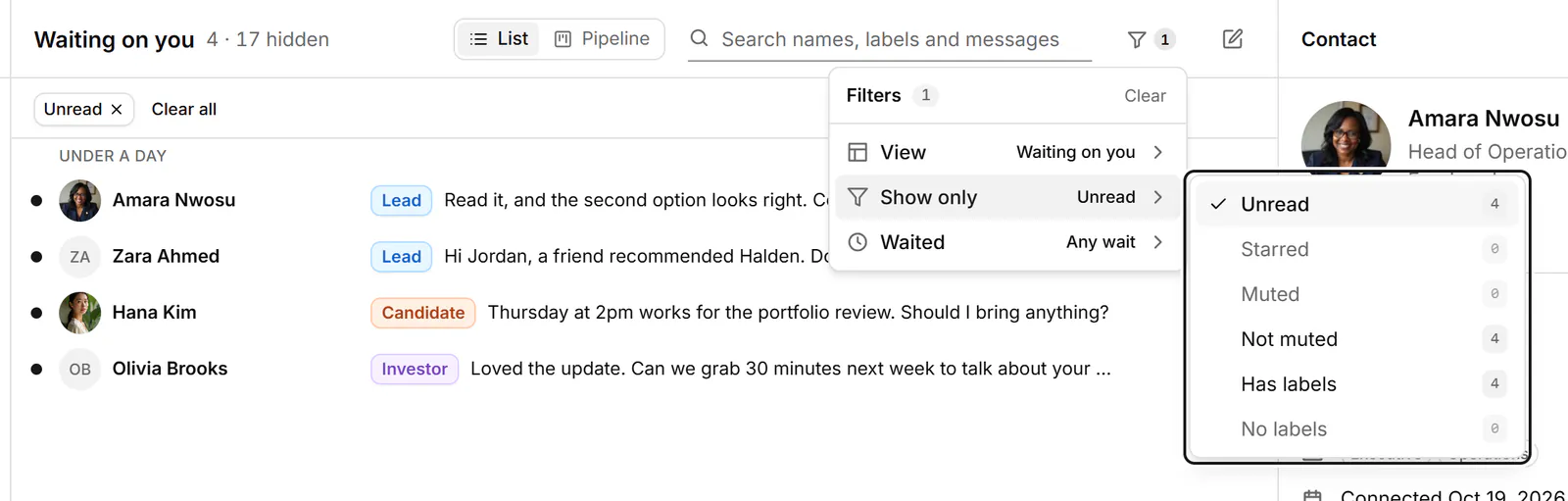
No. LinkedIn messaging doesn't let you create folders. It sorts conversations into four fixed categories (Focused, Other, Archived and Spam) and offers a handful of filters, but you can't make a folder of your own for leads, candidates or anything else.
A folder here means a named list you choose what goes into. Labels do the same job, except one conversation can carry several. Bokka is an AI-first CRM for your LinkedIn inbox.
What LinkedIn has instead of folders
From LinkedIn Help (Filter and search messages, retrieved 24 October 2026 and Focused Inbox, retrieved 24 October 2026):
| Built in | What it does | Can you choose what's in it? |
|---|---|---|
| Focused and Other | LinkedIn sorts messages by relevance into two tabs | Partly: on a computer you can move a conversation with Move to Focused or Move to Other |
| Archived | Conversations you archived | Yes, by archiving |
| Spam | Messages LinkedIn treats as spam | No |
| Filters (computer) | Jobs, Unread, My Connections, Starred, InMail | Only Starred, by starring |
| Filters (phone) | Jobs, Drafts, Unread, Starred, InMail, My Connections | Only Starred, by starring |
LinkedIn notes that Focused Inbox is being rolled out gradually, so you may not have it yet. You can also search messages by keyword or person from the search bar at the top of your inbox.
The built-in workaround: star and filter
If you only need one extra list, star the conversations that matter and use the Starred filter. It works, but it's a single list: you can't tell a starred lead from a starred candidate, and nothing reminds you to come back to either.
What actually works like folders: labels
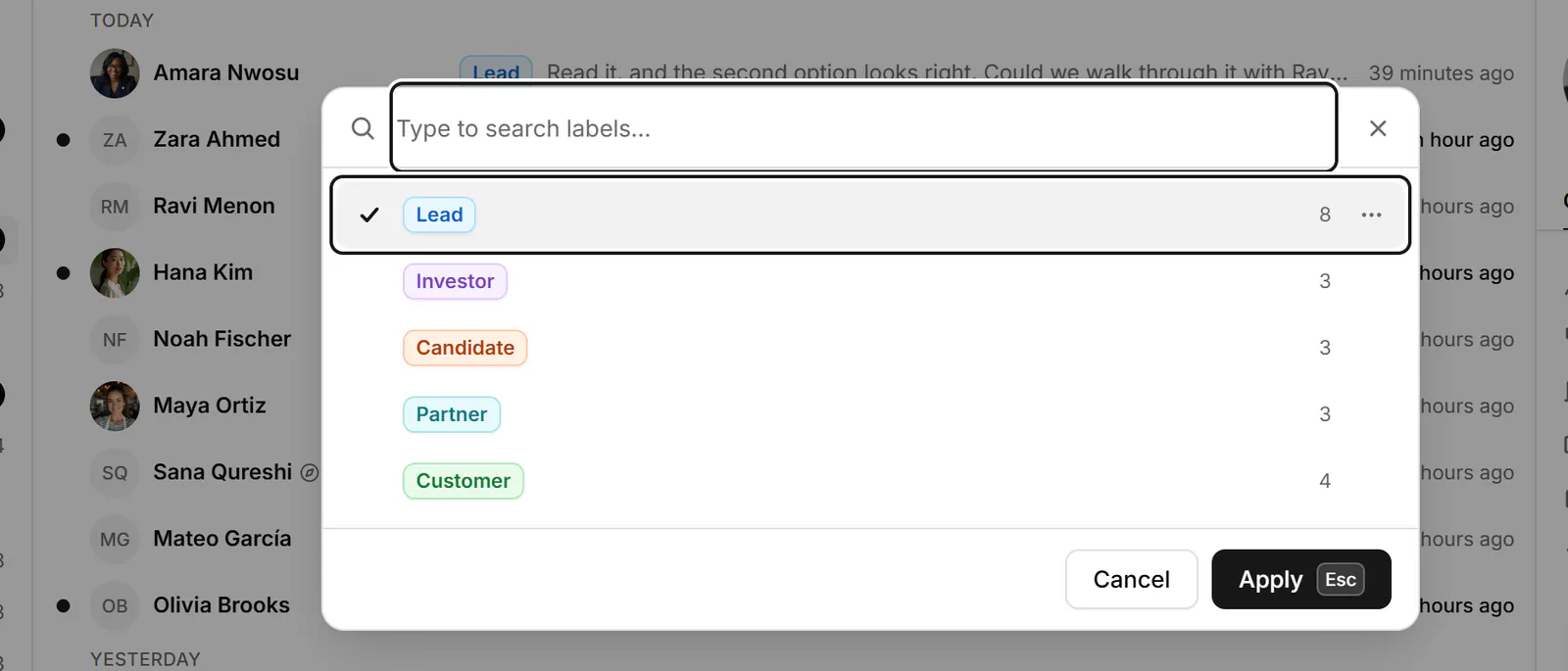
A label works like a folder you can stack. Tag a conversation Lead, Candidate or Investor, and each label becomes its own list. One conversation can carry two labels (a candidate who's also a referral), which a folder can't do.
In Bokka, press L on a conversation to apply labels, or create one by typing a new name. Every label shows under Labels in the sidebar with a count, so working through your leads is one click. Your account starts with Lead, Hot lead, Customer, Friend, Investor and Candidate, and you can rename them or add your own. See how to label LinkedIn conversations.
For conversations that move through steps, such as a deal or a hire, a pipeline is clearer still: each step is a column on a board. See Track deals in a pipeline.
About Bokka
Bokka starts with a free 14-day trial, AI included and no credit card. After it, Starter is $25 and Pro is $35 per user a month ($19 and $30 for your first month). Team, at $50, is coming soon.
Frequently asked questions
Can you create folders in LinkedIn messages?
No. LinkedIn messaging has fixed categories (Focused, Other, Archived and Spam) and filters such as Unread, Starred and InMail, but no custom folders.
How do I organise LinkedIn messages?
Within LinkedIn, archive what's done and star what matters, then use the Starred filter. For lists by person or deal, use labels in an inbox tool, where each label works like a folder.
What is the Other tab in LinkedIn messages?
With Focused Inbox, LinkedIn sorts messages by relevance: the most relevant go to Focused and the rest to Other. On a computer you can move a conversation between the two.
Sources
Other products' prices and features were read on their own pages on 24 October 2026. They change; check each page before you buy.
Try Bokka free for 14 days, AI included, with no credit card. It runs in Chrome, Edge, Brave and Arc on a desktop or laptop.
Start your free trialAbout the author
Amardeep Anand founded Bokka, the AI-first CRM for your LinkedIn inbox, and runs it from Deoghar, India. Questions or corrections: support@gobokka.com.
Related
- How to label LinkedIn conversations (leads, candidates, investors)LinkedIn messaging has no labels. How to tag conversations as Lead, Candidate or Investor and work each label as its own list, in Bokka.
- How to archive LinkedIn messages, one or many at onceArchive a LinkedIn conversation from its More menu, or many at once with Manage conversations. Where archived messages go, and how to bring them back.
- How to set a reminder to follow up on a LinkedIn messageLinkedIn has no reminders for messages. The closest built-in workaround, and how to set a follow-up that returns only if they haven't replied, in Bokka.