How to show your team's LinkedIn profiles on your website
Put your team's LinkedIn cards on your Team or Contact sales page, each with their own Message button, and each person choosing to be on it, with Bokka.
By Amardeep Anand, founder of Bokka · Published
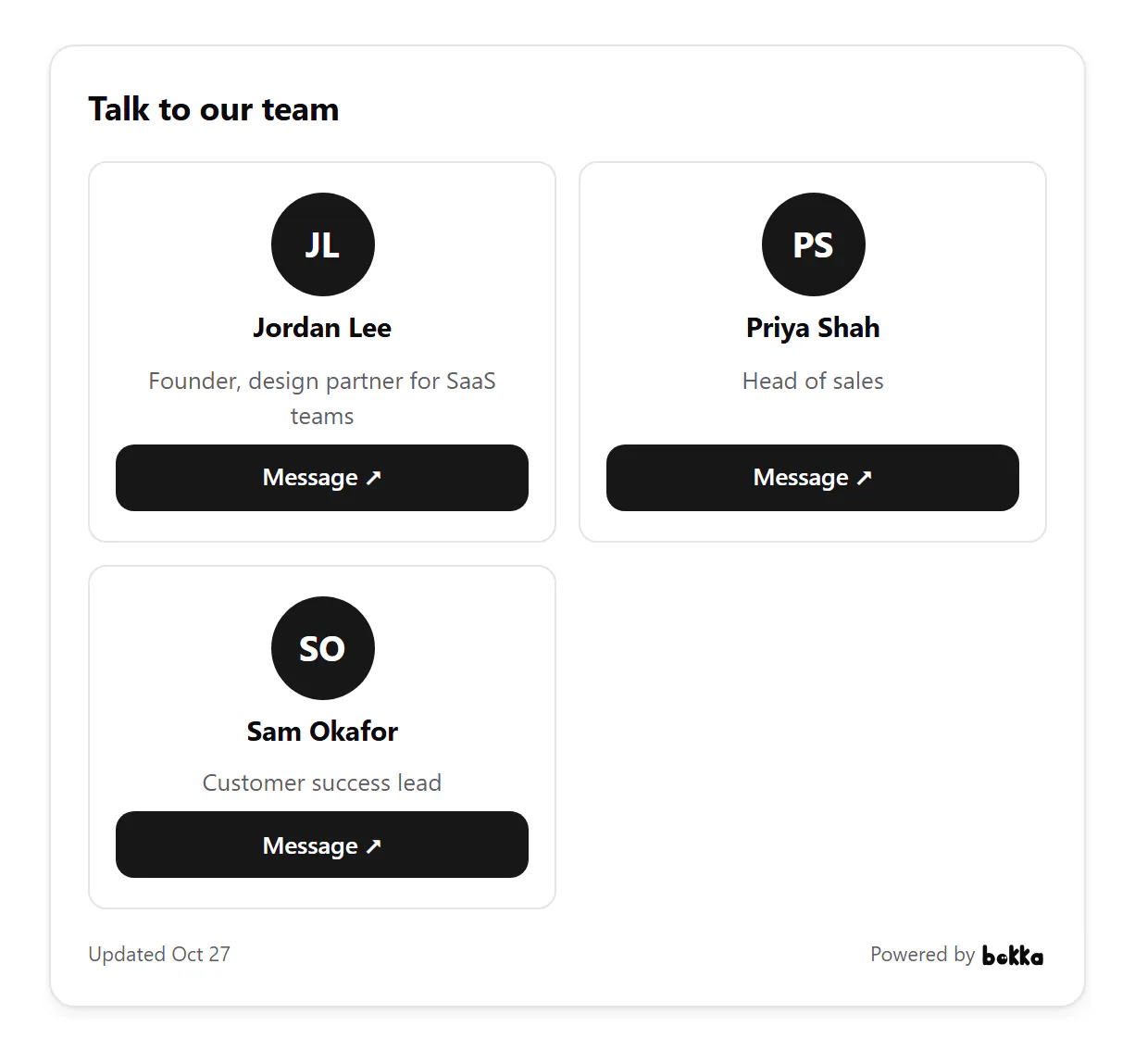
To show your team's LinkedIn profiles on your website, use a team widget built from each person's own card. In Bokka, each teammate publishes a contact card and turns on Show on my team's grid; you make a Team grid and paste its code into your page.
A team grid is a set of cards, one per person, each with their name, role and a way to reach them. Bokka is an AI-first CRM for your LinkedIn inbox; on the Team plan, the grid gives every teammate a Message button that leads to their own inbox.
Why a grid of people beats a contact form
- Visitors can pick the right person: sales, support, the founder.
- A face and a role make writing first easier than a generic inbox does.
- Each message goes to that person's own LinkedIn inbox, so nothing waits in a shared queue.
How to set it up in Bokka
- Each teammate makes a Contact card in Bokka, turns on Show on my team's grid, and publishes it.
- You choose Widgets, then New widget, then Team grid.
- On Customize, set its title, such as "Talk to our team", and an intro if you like.
- Choose Publish, then copy its code from Integration and paste it into your page.
A teammate who turns Show on my team's grid off and publishes, or who leaves the workspace, is taken off the grid. Each card shows only that person's own LinkedIn profile, as they published it.
Who to put on it
- On a Contact sales page, only the people who answer buyers: two to four cards beat ten.
- On a Team page, everyone who's happy to be reached; a missing face says more than an empty Message button.
- On a careers page, a hiring manager and someone from the team, so candidates hear both sides.
Ask each person to check their own LinkedIn headline before they turn on the grid: it's the line under their name, and a visitor reads it to decide who to write to.
Where to use it
- A Team or About page.
- A Contact sales page, with your sales team's cards.
- An agency's people page, so a client can reach their account lead.
- A careers page, so candidates can talk to someone in the team they'd join.
Bokka never connects to LinkedIn from its servers. A widget shows your own profile and totals as your browser last read them, and says when that was. To update it, press Refresh from LinkedIn in the editor, with the Bokka extension on. Nothing about your visitors is stored: Bokka counts views and clicks per day, and that's all.
The Team grid is part of the Team plan, along with 20 widgets of each kind per member and no "Powered by Bokka" line if you turn it off. Each teammate's own card works on every plan: see how to add your LinkedIn profile to your website.
See every widget, what each one shows and where people use it: LinkedIn widgets.
About Bokka
Bokka starts with a free 14-day trial, AI included and no credit card. After it, Starter is $25 and Pro is $35 per user a month ($19 and $30 for your first month). Team, at $50, is coming soon.
Frequently asked questions
Can I show my whole team's LinkedIn profiles on one page?
Yes. Bokka's Team grid shows each teammate's own LinkedIn card with a Message button, on the Team plan.
Can I add someone to the grid without asking them?
No. Each person's card joins the grid only when they turn on Show on my team's grid on their own contact card.
Where do messages from the grid go?
Each Message button opens that teammate's LinkedIn profile, so their message lands in that person's own LinkedIn inbox.
Sources
Other products' prices and features were read on their own pages on 27 October 2026. They change; check each page before you buy.
Join the waitlist for early access to Bokka. Your first 14 days are free, AI included, with no credit card. It runs in Chrome, Edge, Brave and Arc on a desktop or laptop.
Join the waitlistAbout the author
Amardeep Anand founded Bokka, the AI-first CRM for your LinkedIn inbox, and runs it from Deoghar, India. Questions or corrections: support@gobokka.com.
Related
- How to add your LinkedIn profile to your websiteLinkedIn's own badge is a View profile button. How to show your name, headline, followers and a Message button on your site instead, with Bokka.
- How to show your LinkedIn follower count on your websiteShow your LinkedIn followers and connections on a media kit, speaker page or About page, read from your own profile, with Bokka's network stats widget.
- How to add a contact form that leads to LinkedInA short form on your site or link page where visitors say what they'd like to talk about, with every request kept in one list in Bokka.