Widgets
Make a widget
Put your LinkedIn profile on your website, in your email or on a page of your own, with a button that brings people to your messages.
A widget shows your own LinkedIn profile, as Bokka last read it, somewhere people find you: your website, your email signature, or a link page of your own. Every widget has a button that opens your LinkedIn profile, so new conversations land in your inbox.
What you can make
| Widget | What it shows | Where to use it |
|---|---|---|
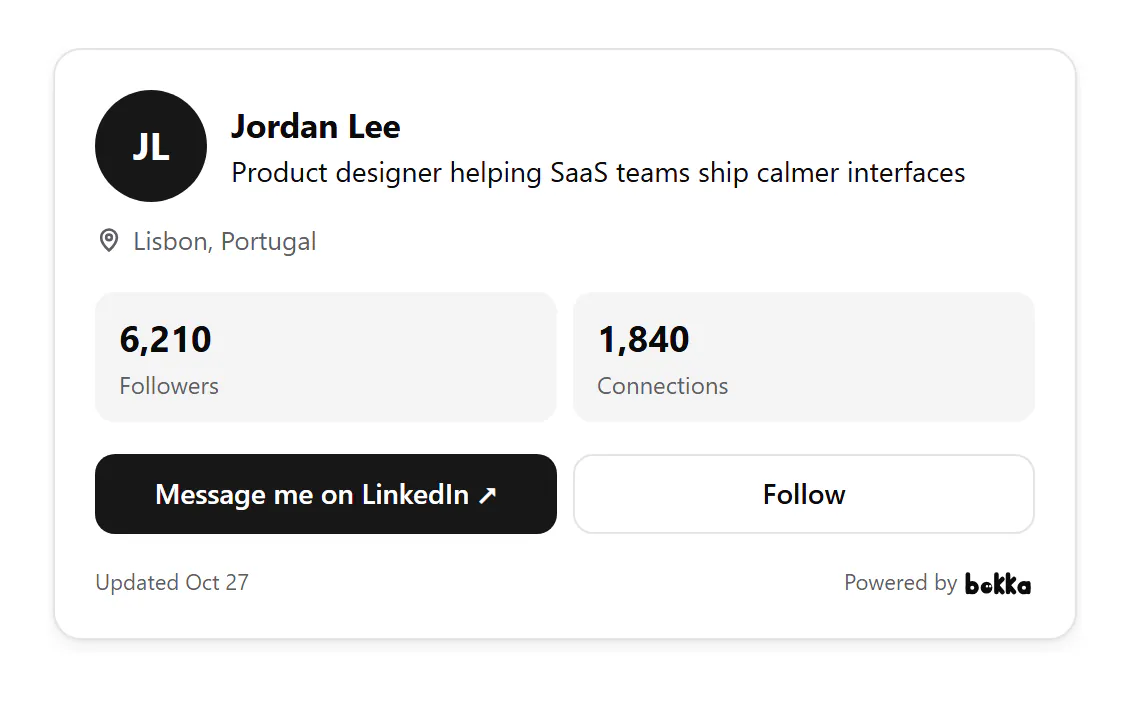
| Contact card | Your picture, name, headline, followers and reply time, with Message and Follow buttons. It can also show your location, About, Featured links and the companies you've worked at | Your site's About or Contact page, a portfolio, a personal homepage, the end of a case study |
| Network stats | Your followers, connections and following, large | A media kit, a speaker page, a sponsorship or partnership page, a creator's About page |
| Growth | How much one of those grew in the last 30, 90 or 365 days, with a chart | A creator's media kit, a monthly report to clients or investors, a page about your audience |
| QR code card | A code that opens your profile when scanned. Download it as PNG or SVG | Conference badges and stands, the last slide of a talk, business cards, flyers, a shop counter |
| Link page | A page of your own with your links, a status line and an optional form. See Your link page | Your LinkedIn Featured section, an Instagram or X bio, your email signature, a QR code, when you have no website |
| Intake form | A short form for visitors to say what they'd like to talk about. See Intake forms and requests | A Contact or Work with me page, a services page, a landing page for a talk or launch |
| Email signature card | Your name, headline and a Message link. See Add your email signature | Every email you send from Gmail, Outlook or Apple Mail: sales follow-ups, recruiting, cold outreach |
| Team grid | Your teammates' contact cards together, each with their own Message button. On Team | A company's Team, About or Contact sales page, an agency's people page, a careers page |
Make one
- In the sidebar, choose Widgets, then New widget.
- Pick a widget. It opens in the editor as a draft.
- On Customize, choose what it shows and how it looks. The preview on the right follows each change, and Preview shows it on a sample website.
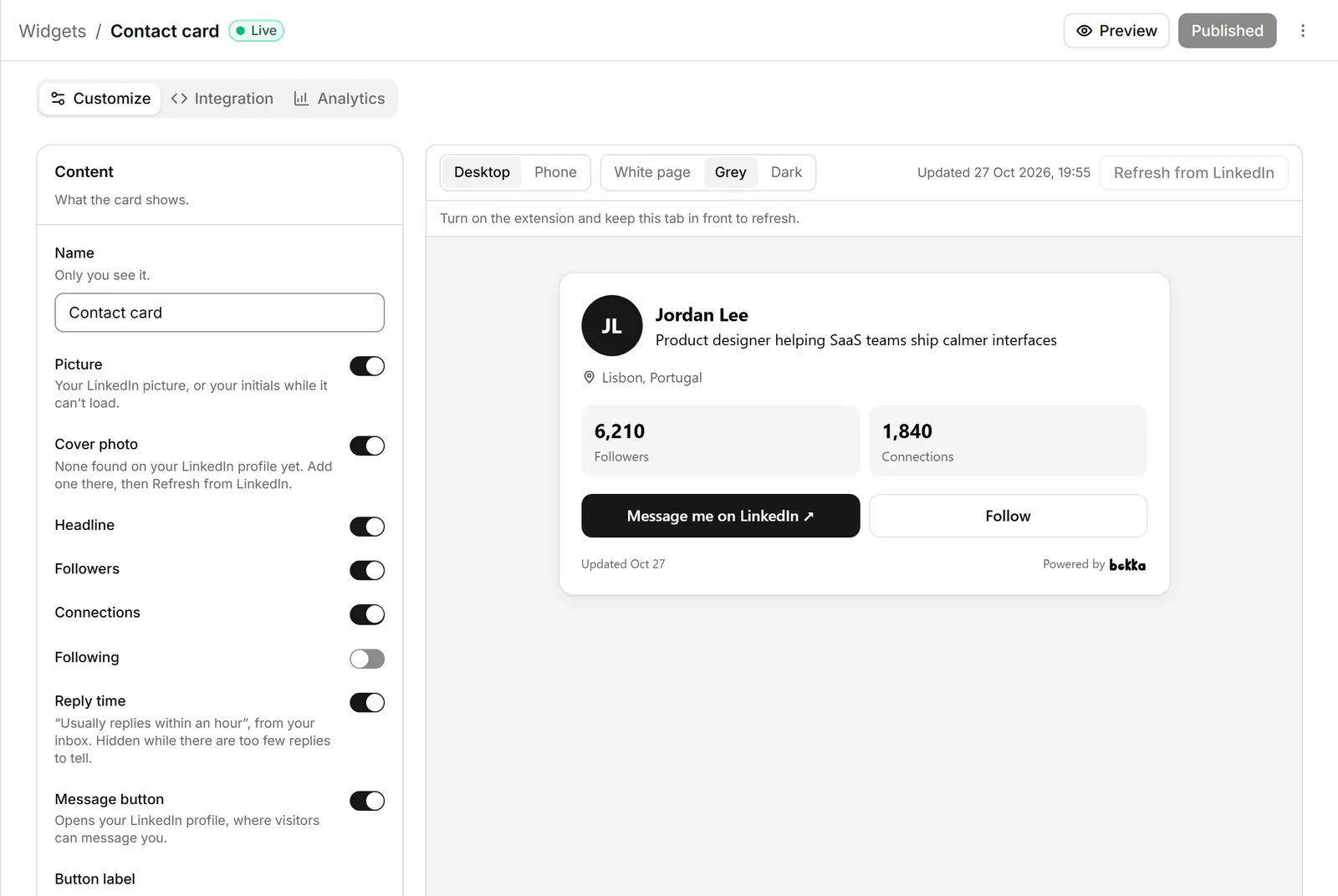
- Choose Publish. Visitors see it within a minute.
Keep it up to date
A widget shows your profile and totals as Bokka last read them, and says when that was. To read them again, choose Refresh from LinkedIn in the editor. This needs the extension connected. On the Widgets page you can select several widgets and refresh them together.
How many you can make
| Plan | Widgets of each kind | “Powered by Bokka” |
|---|---|---|
| Trial and Starter | 1 | Always shown |
| Pro | 5 | Can be turned off |
| Team | 20 per member, and the Team grid | Can be turned off |
Widgets you published on the trial keep showing after it ends. See Plans and billing.
See how it's doing
The Analytics tab shows Views, Clicks to LinkedIn, Click rate and “Message me” clicks for the last 7, 30 or 90 days, and a chart of views and clicks per day. Nothing about who visited is kept.
Team grid
On Team, the Team grid shows the contact card of every teammate who turned on Show on my team's grid on their own published contact card. Each teammate decides for themselves, and turning it off takes their card off the grid when they publish.
Related
- Add a widget to your websitePaste a widget's code into WordPress, Webflow, Wix, Squarespace, Shopify, Framer, React or plain HTML, limit where it shows and check it works.
- Your link pageA page of your own at gobokka.com/@yourname: your profile, your links, a status line, your QR code and a form, for your bio or email.
- Intake forms and requestsLet visitors to your site or link page say who they are and what they'd like to talk about, then answer them from Requests.
- Add your email signaturePut your name, headline and a Message me on LinkedIn link under every email you send, in Gmail, Outlook or Apple Mail.
Still stuck? Email support@gobokka.com and say what you were trying to do.