LinkedIn inbox for investors: triage pitches, track deals
A playbook for angels, VCs and scouts whose deal flow arrives in LinkedIn messages: triage pitches, track deals by stage, follow up and keep notes, by hand.
By Amardeep Anand, founder of Bokka · Published · 3 min read
On this page
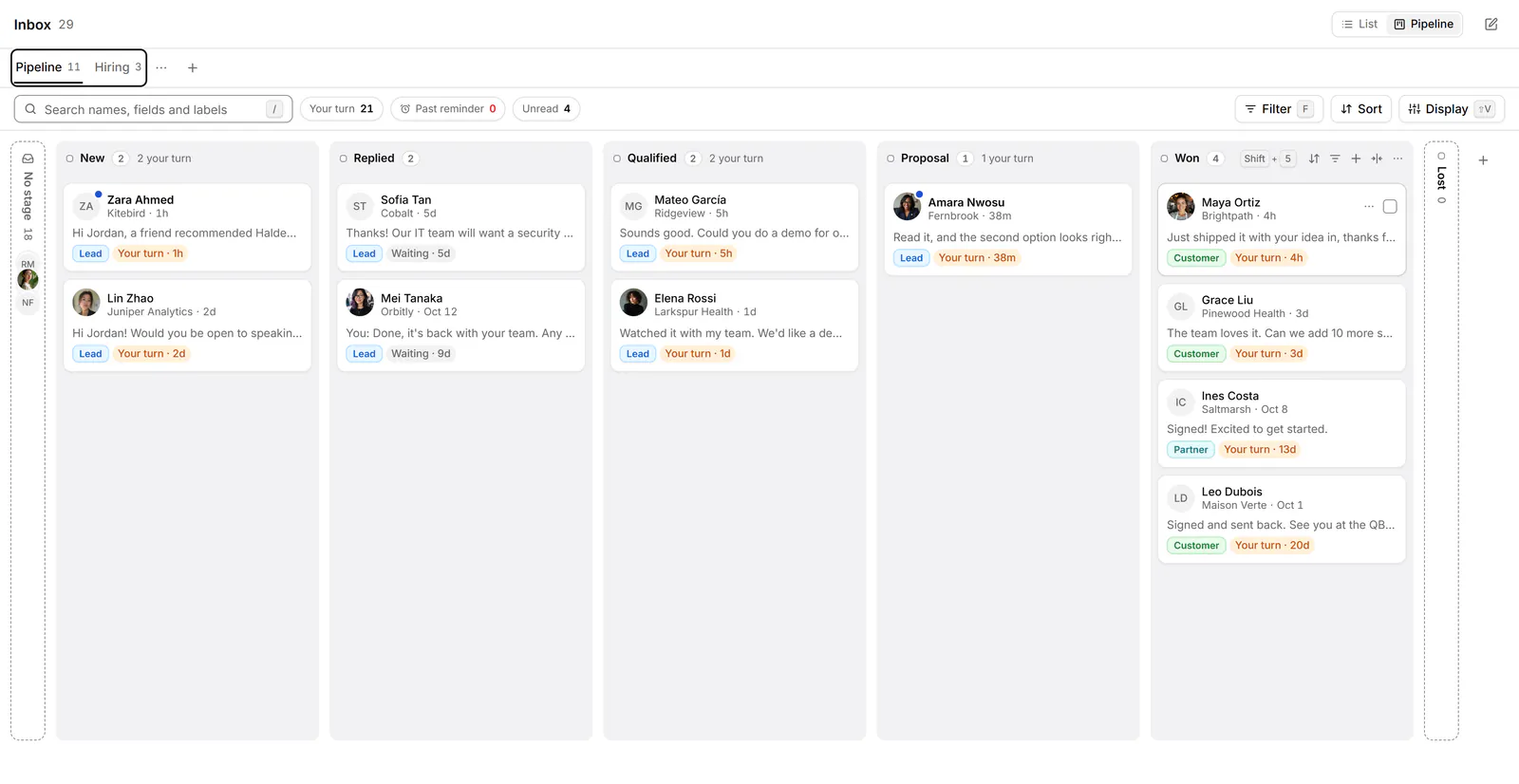
To run deal flow from your LinkedIn inbox, triage each pitch the day it lands, move the ones worth a call onto a deal board by stage, and keep a note and a reminder on every live deal. Then your inbox tells you which founders you owe an answer, which deals are in diligence and which have gone quiet, without a separate spreadsheet.
Deal flow is the stream of companies asking you to invest. Triage means deciding, quickly, what each one gets from you next. Bokka is an AI-first CRM for your LinkedIn inbox. This playbook is for angels, VCs and scouts; if you're the founder raising, read Raising on LinkedIn: a founder's inbox playbook instead.
Where pitches land on LinkedIn
- Your connections can always message you. LinkedIn says you can't stop receiving messages from your 1st-degree connections; to stop someone, you block them (LinkedIn Help: manage the messages you receive, retrieved November 10, 2026).
- People you share a group or employer with can send a message request, which you accept or decline privately; a sender isn't told if you decline (LinkedIn Help: message requests, retrieved November 10, 2026).
- Focused and Other. Where Focused Inbox is on, LinkedIn sorts messages into the two tabs by their relevance to you, automatically, and you can move a message between tabs (LinkedIn Help: Focused Inbox, retrieved November 10, 2026). A first pitch from someone new can end up in Other, so check it.
- Who can reach you. Under Settings & Privacy, Data privacy, Who can reach you, Messages, you switch message types on or off (LinkedIn Help: manage the messages you receive, retrieved November 10, 2026). See LinkedIn's Focused and Other inbox and LinkedIn message requests.
Why do it by hand
LinkedIn says it doesn't permit third-party software or browser extensions that scrape, modify the appearance of, or automate activity on its website, and members who use them risk having their accounts restricted or shut down (LinkedIn Help: prohibited software and extensions, retrieved November 10, 2026). Founders can also tell a form reply from a real one. Bokka sends nothing on its own; it keeps track for you.
- Your messages are loaded into your browser and stay there, on your device. Bokka's servers keep how you organise them (labels, stages, fields, notes, reminders, snippets) and a list of your conversations without their messages.
- Bokka never sees your LinkedIn password. A small browser extension works inside the LinkedIn session you already have, and Bokka's servers never connect to LinkedIn.
- Requests go from your own browser at a measured pace, only while Bokka is open in a tab. There is no background syncing while you're away.
- No automation: no sequences, auto-replies, scheduled or bulk campaigns, and nothing is sent unless you send it. AI, and any assistant you connect over MCP, drafts only.
Triage a pitch in under a minute
- Open Waiting on you (Shift+W). It lists one-to-one conversations where the other person wrote last, grouped by how long they've waited. Work from the oldest group up.
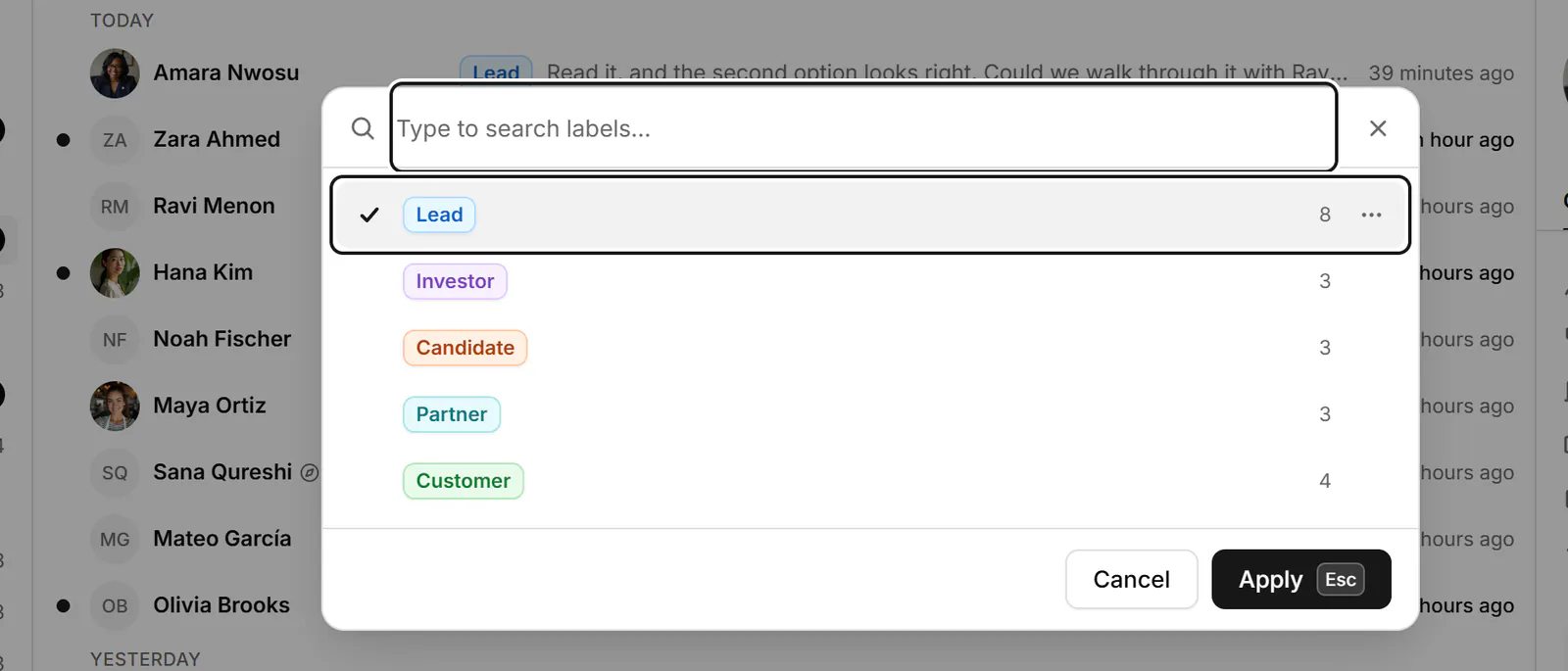
- Label it with L: create Pitch for new deal flow and use the starter Investor label for co-investors. Add others you need, such as "Scout referral".
- Worth a call? Put it on the board (next section) and reply with a time.
- Not for us? Send a short, kind pass from a saved reply (;), then press Shift+N (No reply needed) so it leaves both waiting views.
- Not yet? Snooze it with H until the founder's next milestone, such as a date three months out. It comes back on that day, unless they write first.
Set up a deal-flow board
- In Settings → Pipelines, choose New, name it ("Deal flow") and pick Blank. There's no investor template, so you name the stages.
- Add stages such as Pitch, First call, Partner meeting, Diligence, Term sheet, Invested and Passed.
- Set Outcome to Won for Invested and Lost for Passed. Won and Lost close a conversation, so it gets no follow-ups.
- Set Follow up after on the open stages, such as 7 days in Diligence, so a deal that's gone quiet gets marked for a follow-up.
- Under Pipeline fields, add what you compare deals on: a Money field for Round size, a Select for Sector and one for Stage, a Link for the Deck, a Date for Next call. Display puts up to two on each card.
Press G then P for the board. Move a card by dragging it, or focus it and press Shift+1 to Shift+9. See Track deals in a pipeline and how to track deals from LinkedIn messages.
Notes that make the next call easy
Press N after every call and write what you'll want later: who introduced you, the traction they quoted, your open questions, what you promised to send. Notes belong to the person, not to one conversation, so you see them in the inbox, in People and on the board. See private notes on LinkedIn contacts.
For example, a founder you passed on in spring writes again in autumn with a new number. Their note tells you why you passed and what you said would change your mind, before you reply.
On the trial and Pro, press Shift+Y for a summary of a long thread: the main points and Up next, what you owe them. See how to summarize a long LinkedIn conversation.
Saved replies for the answers you give every week
Save the replies you write over and over as snippets, with {{first_name}} and {{company}} filled in for each founder. Type ; in the message box to insert one; nothing goes until you press Send. Three worth having:
Hi {{first_name}}, thanks for thinking of us for {{company}}. It isn't a fit for what we invest in right now, so I'll pass, but I appreciate you reaching out and wish you a strong round.Hi {{first_name}}, this is interesting. Could you send the deck and two times next week for a 30-minute call?Hi {{first_name}}, it's early for us. Could you write back when you have {{milestone}}? I'd like to hear how it goes.A gap Bokka can't fill, like {{milestone}}, stays selected for you to type over, and Send stays off until it's filled. These are our examples, not tested scripts; more for hard replies are in LinkedIn follow-up templates. On the trial and Pro, D drafts a reply in your voice for you to edit.
Follow up when you said you would
After you promise something ("I'll come back after our partner meeting on Monday"), press H and choose Remind me with a time. If the founder writes before then, the reminder goes away by itself; if not, the conversation shows Time to follow up. Reminders show in Bokka only, and nothing is sent for you. See how to set a reminder on a LinkedIn message.
A weekly deal-flow review
- Waiting on you to zero: every founder gets an answer, even if it's a pass.
- The board's Waiting on you and Follow-up due filters: deals where you owe the next step.
- The Pitch label: anything still unsorted from the week.
- On Pro, a shared log. Send Chats in a pipeline to a Notion database or Google sheet with Pipeline and stage and Fields ticked and Message text left at None, so partners see the pipeline while messages stay in your browser. See send LinkedIn conversations to Notion or Google Sheets.
What this doesn't cover
Bokka works with LinkedIn messages only: pitch emails, data rooms and your calendar stay where they are. It doesn't search LinkedIn for new companies or send anything without your click. It works with one LinkedIn account per browser profile, and team seats come with Team, which is coming soon.
About Bokka
Bokka starts with a free 14-day trial, AI included and no credit card. After it, Starter is $25 and Pro is $35 per user a month ($19 and $30 for your first month). Team, at $50, is coming soon. Starter, at $25, has labels, the board, fields, notes, reminders and snippets. AI is part of the free trial, with daily limits, and of Pro. It isn't on Starter. Summaries, drafts and the Notion and Sheets integrations are on Pro, at $35.
Frequently asked questions
How do investors manage deal flow on LinkedIn?
Triage each pitch when it arrives, put the promising ones on a board by stage, and keep a note and a reminder on every live deal. In Bokka, labels, a pipeline from Blank, fields, notes and reminders do that in the LinkedIn inbox itself.
How do I politely decline a startup pitch on LinkedIn?
Thank them by name, say plainly it isn't a fit for what you invest in right now, and wish them well. Save it as a reusable reply so a quick, kind pass takes seconds.
Can I stop founders I'm not connected to from messaging me on LinkedIn?
You can switch message types on or off under Settings & Privacy, Data privacy, Who can reach you, Messages. LinkedIn says you can't stop messages from 1st-degree connections; blocking is the only way to stop one person.
Is there an investor pipeline template in Bokka?
No. Start a pipeline from Blank and name your own stages, such as Pitch, First call, Diligence, Invested and Passed, with Won and Lost outcomes at the end.
Sources
Other products' prices and features were read on their own pages on November 10, 2026. They change; check each page before you buy.
Join the waitlist for early access to Bokka. Your first 14 days are free, AI included, with no credit card. It runs in Chrome, Edge, Brave and Arc on a desktop or laptop.
Join the waitlistAbout the author
Amardeep Anand founded Bokka, the AI-first CRM for your LinkedIn inbox, and runs it from Deoghar, India. Questions or corrections: support@gobokka.com.