LinkedIn inbox tools without automation: 6 compared (2026)
Which LinkedIn inbox tools send nothing without you? Bokka, Kondo, Narrow, Breakcold, Kanbox and Waalaxy, compared on sending, AI drafts and price.
By Amardeep Anand, founder of Bokka · Published · 5 min read
On this page
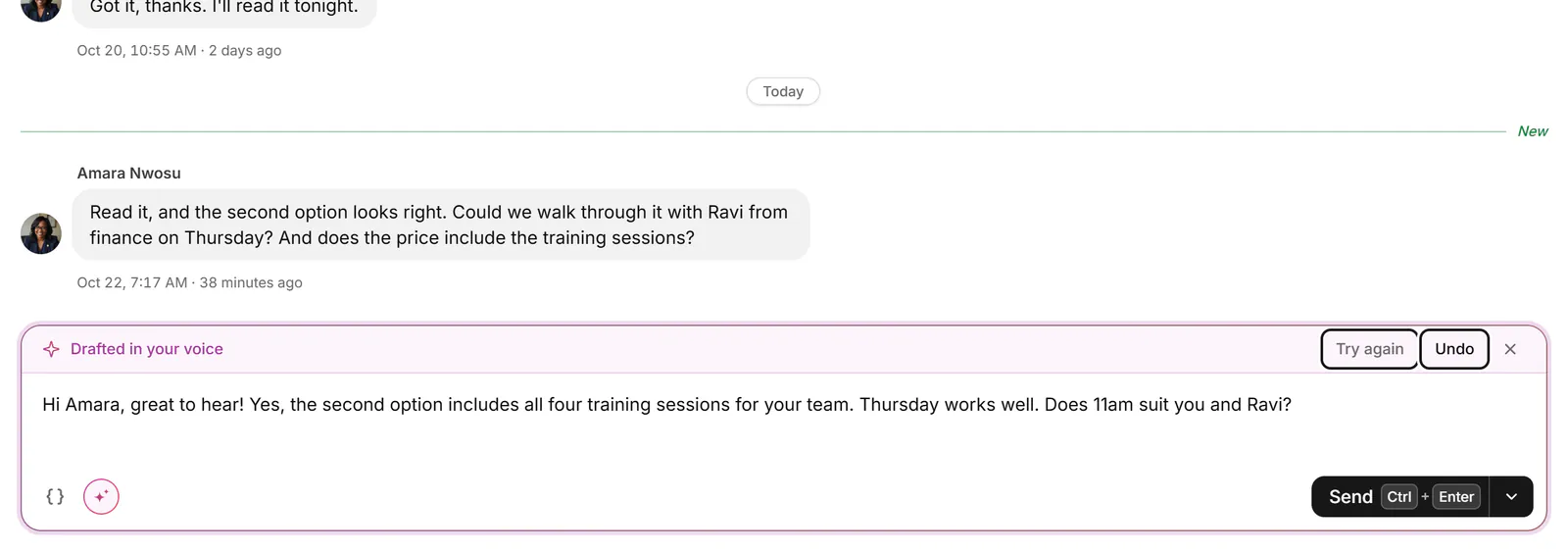
By their own pages, Bokka, Kondo and Narrow send nothing on LinkedIn unless you send it: no sequences, auto-replies or scheduled messages, and AI or a connected assistant only writes drafts. Kanbox and Waalaxy are built to automate, with campaigns of messages and follow-ups, and Breakcold sits in between: its pricing page says nothing sends without you, while its other pages describe automated email follow-ups and autonomous agents you can plug in to run outreach.
In this post, automation means a tool that sends a message, an invitation, a profile visit, a follow-up or a reply that you didn't choose yourself, person by person: sequences, campaigns, auto-replies, scheduled or bulk sends, and invitations accepted for you. AI that writes a draft and waits for you to send it is not automation by that definition, and neither is a reminder that brings a conversation back to you.
| Tool | Sends without your click? | Scheduled or bulk messages | AI drafts that wait for you | Sales Navigator inbox | Price | Sources |
|---|---|---|---|---|---|---|
| Bokka | No. Nothing is sent unless you send it | No. Message selected writes one message to up to 10 conversations; you press Enter for each person | Yes (Pro). Assistants connected over MCP draft too | Pro | Starter $25, Pro $35 per user a month | Docs |
| Kondo | No. Its home page says Kondo does not automate | No scheduled sends listed. Snippets with variables, and you still send each message individually | Through MCP: an agent's text stays a draft until you send it | Business | $28 per user a month billed yearly; Business $36 | Home, mass message, pricing |
| Narrow | No. 'Every message is written and sent by you' | No: 'no sequences, and no auto-sending' | Not listed; MCP on Super Pro | Yes; plan not stated | Pro $15, Super Pro $22 a month billed yearly; $19 and $29 month to month | Home, pricing |
| Breakcold | Not its own AI: 'Nothing sends without you'. Its pages also describe AI email follow-ups that fire, and autonomous agents you can plug in | Not listed for LinkedIn | Yes. Reply drafts on every channel; you approve every send | Yes, Sales Navigator threads sync in | $49 per seat a month (X1) | Pricing, LinkedIn CRM, features |
| Kanbox | Yes. Automated profile visits, messages and follow-ups; an AI agent auto-replies after a lead responds | Campaign sequences with up to 6 follow-up messages | AI prompts and templates (Pro); AI-personalised campaign messages | Yes, in its unified inbox; imports leads from Sales Navigator | $12 a month billed yearly, $20 monthly (Starter) | Home, pricing |
| Waalaxy | Yes. Outreach sequences and automated follow-ups | Unlimited campaigns; up to 300 invitations a month on Pro, 800 on Advanced; scheduled follow-ups in its inbox add-on | Not listed | Not listed; imports from Sales Navigator | €19 per user a month; inbox add-on €20 a month | Pricing |
Each row is from that product's own pages, linked in its last column, retrieved November 10, 2026. "Not listed" means those pages don't mention it. Bokka's row is from its own docs and the Bokka section below.
What counts as automation, and what doesn't
The test is who chooses each action on LinkedIn. If the tool picks the moment or the person, it's automation; if you pick both and press the key, it isn't. Under that test:
- Automation: sequences and campaigns, automated follow-ups when someone doesn't answer, auto-replies, messages scheduled to go later, one message blasted to a list, and profile visits or invitations sent for you.
- Not automation: an AI draft in your reply box, a snippet that fills in a first name, a reminder that brings a conversation back to the top, labels and stages, and copying conversation data to a CRM.
The word itself is used loosely. Kondo, which doesn't send for you, publishes pages called "LinkedIn automation" and "LinkedIn DM automation" that use it for organising: "Kondo automates your workflow, not message sending" (Kondo's DM automation page, retrieved November 10, 2026). Kanbox uses it the other way, for campaigns that send. Read what a tool says it sends, not whether it says "automation".
Tools that send nothing without you
Bokka
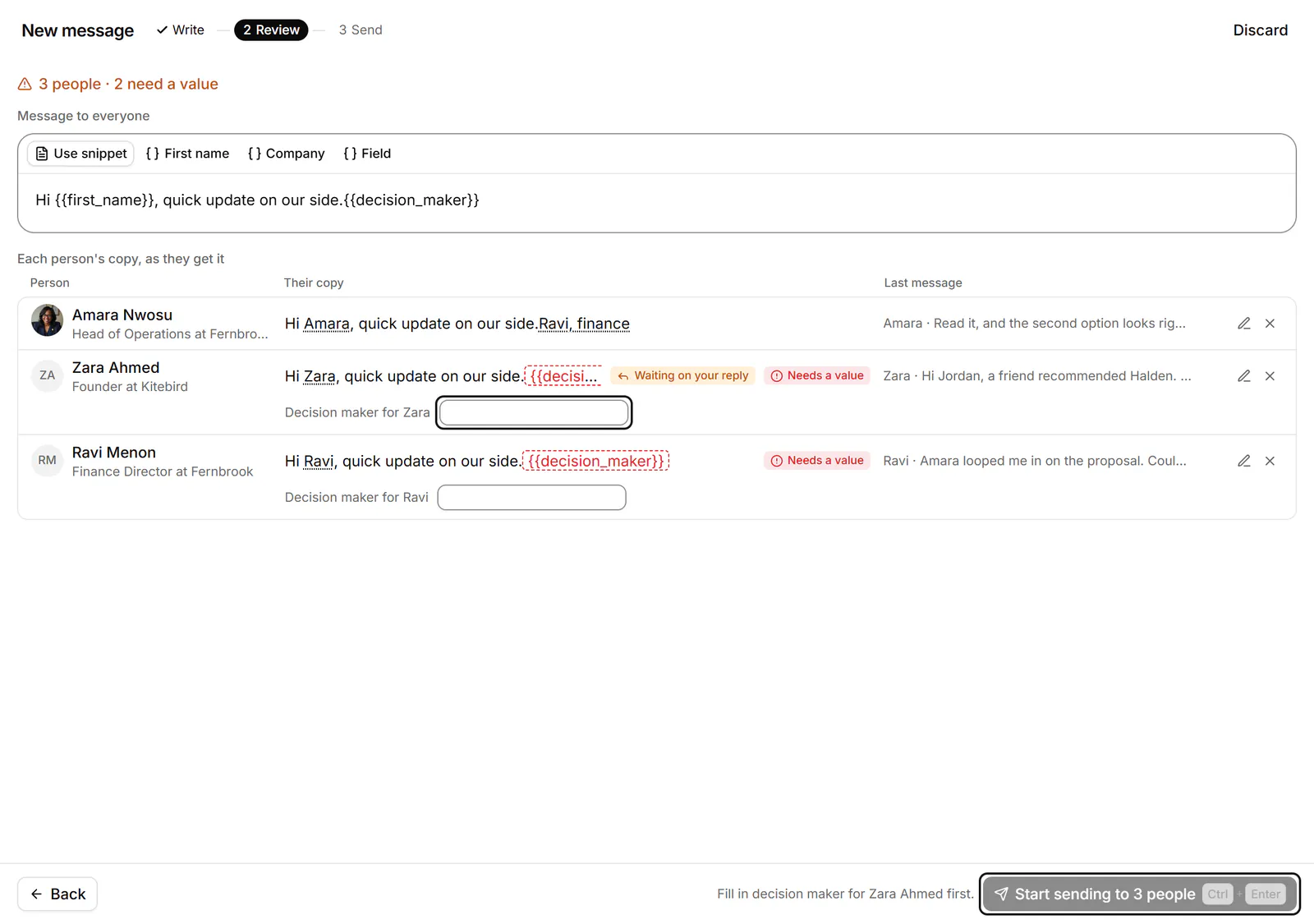
Bokka is the AI-first CRM for your LinkedIn inbox: a keyboard-first inbox, labels, reminders, snippets and pipelines. On Pro, AI drafts replies in your voice and your Sales Navigator inbox sits next to your other messages. Nothing is sent unless you send it. Message selected writes one message, personalised per person, to up to 10 conversations, and you press Enter for each one; Bokka doesn't schedule messages. Assistants such as Claude or ChatGPT, connected over MCP, can read, label and draft, never send.
Kondo
A keyboard-first inbox for LinkedIn and WhatsApp. Its home page says: "Kondo does not automate, even though we're asked to all the time," and of AI agents connected over MCP, "Anything an agent writes stays a draft until you send it" (Kondo's home page, retrieved November 10, 2026).
Kondo also publishes pages whose titles suggest otherwise, so here is what they say. Its LinkedIn automation page describes organising, reminding and syncing DMs "without performing automated actions like sending connection requests or messages on your behalf". Its "Mass Message on LinkedIn" page describes snippets with variables, and says "you still send each message individually" (Kondo's mass message page, retrieved November 10, 2026). Its "Automate LinkedIn Outreach with Zapier" page makes Kondo a trigger that passes conversation data to Zapier, and says "The sending side still happens in LinkedIn as normal" (Kondo's Zapier page, retrieved November 10, 2026). The Sales Navigator inbox and MCP are on its Business plan (Kondo's pricing, retrieved November 10, 2026). See Bokka vs Kondo.
Narrow
A local-first LinkedIn inbox with labels, reminders, a kanban board and snippets. Its home page is direct: "No, Narrow isn't an automation tool," "Every message is written and sent by you," and "There's no scraping, no sequences, and no auto-sending" (Narrow's home page, retrieved November 10, 2026). Pro is $15 a month billed yearly or $19 month to month; Super Pro, at $22 billed yearly or $29 month to month, adds MCP for your AI tools and AI lead screening; its pages don't list reply drafting (Narrow's pricing, retrieved November 10, 2026). See Bokka vs Narrow.
A CRM in between: Breakcold
Breakcold is a sales CRM with one inbox for LinkedIn, email, WhatsApp and Telegram. For its own AI, its pricing page says "Tasks queue, you approve every send" and "Nothing sends without you" (Breakcold's pricing, retrieved November 10, 2026). Its LinkedIn CRM page also lists a "Unified email inbox with automated follow ups", with "AI follow ups that fire based on what the prospect actually replied", and says LinkedIn DMs, InMails and Sales Navigator threads sync into the CRM (Breakcold's LinkedIn CRM page, retrieved November 10, 2026). Its features page says: "Plug in autonomous agents like OpenClaw and Hermes AI to run outreach, follow-ups, and data hygiene on autopilot" (Breakcold's features, retrieved November 10, 2026). So whether anything goes out without you depends on what you connect and switch on. See Bokka vs Breakcold.
Tools built to automate
Kanbox
Kanbox's home page calls it the "Best LinkedIn Automation Tool for Smarter Prospecting" and says it can "Automate profile visits, messages, and follow-ups." Its AI agent offers "AI messages, auto-responses" (Kanbox's home page, retrieved November 10, 2026). Its pricing page lists campaign sequences with up to 6 follow-up messages, an "AI Response Agent (auto-reply after lead responds)", and an inbox with tags, filters and reminders, after a 15-day free trial with no credit card (Kanbox's pricing, retrieved November 10, 2026). See Bokka vs Kanbox.
Waalaxy
Waalaxy's Pro plan, at €19 per user a month, lists "Unlimited campaigns", "Pre-built outreach sequences" and "Automated follow-ups", with 300 invitations a month (800 on Advanced, at €49). Its LinkedIn inbox is "an optional add-on for €20/month", with reply templates and scheduled follow-ups. Every plan starts with a 14-day free trial (Waalaxy's pricing, retrieved November 10, 2026). See Bokka vs Waalaxy.
What LinkedIn's own pages say
LinkedIn's User Agreement (effective November 3, 2025, retrieved November 10, 2026), section 8.2, "Don'ts", begins "You agree that you will not:". Two of its items name software like the tools above:
- "Develop, support or use software, devices, scripts, robots or any other means or processes (such as crawlers, browser plugins and add-ons or any other technology) to scrape or copy the Services, including profiles and other data from the Services;"
- "Use bots or other unauthorized automated methods to access the Services, add or download contacts, send or redirect messages, create, comment on, like, share, or re-share posts, or otherwise drive inauthentic engagement;"
LinkedIn Help's page "Prohibited software and extensions" says: "we don't permit the use of any third party software, including "crawlers", bots, browser plug-ins, or browser extensions that scrape, modify the appearance of, or automate activity on LinkedIn's website." It goes on: "Any member who uses tools for such purposes is in violation of the User Agreement. This means that they risk having their accounts restricted or shut down." (LinkedIn Help, retrieved November 10, 2026).
Bokka is a third-party tool too: a web app with a browser extension. LinkedIn's User Agreement limits third-party tools, and LinkedIn may restrict an account that uses one. We can't promise it won't happen, for Bokka or any tool on this list. Why we chose not to automate is in why Bokka doesn't automate LinkedIn.
How Bokka works with your LinkedIn account
- Your messages are loaded into your browser and stay there, on your device. Bokka's servers keep how you organise them (labels, stages, fields, notes, reminders, snippets) and a list of your conversations without their messages.
- Bokka never sees your LinkedIn password. A small browser extension works inside the LinkedIn session you already have, and Bokka's servers never connect to LinkedIn.
- Requests go from your own browser at a measured pace, only while Bokka is open in a tab. There is no background syncing while you're away.
- No automation: no sequences, auto-replies, scheduled or bulk campaigns, and nothing is sent unless you send it. AI, and any assistant you connect over MCP, drafts only.
More on where your messages go in LinkedIn message privacy, and on following up by hand in LinkedIn follow-ups without automation.
Which should you pick?
- You want every message to be one you sent, with AI drafts and a pipeline: Bokka.
- You also work in WhatsApp: Kondo.
- You want the lowest price for an inbox that doesn't send for you: Narrow, at $15 a month billed yearly.
- Your deals run across email and LinkedIn, and you'll decide what to switch on: Breakcold.
- You want campaigns sent for you: Kanbox or Waalaxy, after reading LinkedIn's words above.
For the wider field, with Dex and LeadDelta, see the best LinkedIn inbox tools.
Bokka pricing
Bokka starts with a free 14-day trial, AI included and no credit card. After it, Starter is $25 and Pro is $35 per user a month ($19 and $30 for your first month). Team, at $50, is coming soon.
Frequently asked questions
Is there a LinkedIn inbox tool that doesn't automate?
Yes. Bokka, Kondo and Narrow each say on their own pages that they send nothing unless you send it, with no sequences, auto-replies or scheduled messages. Kanbox and Waalaxy are built to automate outreach.
Does Kondo automate LinkedIn messages?
Not by its own pages. Kondo's home page says "Kondo does not automate", and its "Mass Message on LinkedIn" page says you still send each message individually. Its pages titled "LinkedIn automation" use the word for labels, reminders and CRM sync, as of November 10, 2026.
Is AI drafting automation?
Not when the draft waits for you. AI that writes a reply into your reply box, where you edit it and press send, leaves the choice to send with you. It becomes automation when the AI sends on its own, as an auto-reply agent does.
Can LinkedIn restrict an account for using an extension?
It can. LinkedIn Help says members who use software that scrapes, modifies the appearance of, or automates activity on its website "risk having their accounts restricted or shut down." LinkedIn's User Agreement limits third-party tools, and LinkedIn may restrict an account that uses one; we can't promise it won't happen, Bokka included.
Is sending one message to several people bulk messaging?
It depends on who presses send. In Bokka, Message selected writes one message to up to 10 conversations, and you press Enter for each person. Kondo describes snippets with variables where you still send each message yourself.
Sources
Other products' prices and features were read on their own pages on November 10, 2026. They change; check each page before you buy.
- Kondo home page
- Kondo pricing
- Kondo: LinkedIn automation
- Kondo: LinkedIn DM automation
- Kondo: Mass Message on LinkedIn
- Kondo: Automate LinkedIn Outreach with Zapier
- Narrow home page
- Narrow pricing
- Breakcold pricing
- Breakcold: CRM for LinkedIn
- Breakcold features
- Kanbox home page
- Kanbox pricing
- Waalaxy pricing
- LinkedIn User Agreement
- LinkedIn Help: prohibited software and extensions
Join the waitlist for early access to Bokka. Your first 14 days are free, AI included, with no credit card. It runs in Chrome, Edge, Brave and Arc on a desktop or laptop.
Join the waitlistAbout the author
Amardeep Anand founded Bokka, the AI-first CRM for your LinkedIn inbox, and runs it from Deoghar, India. Questions or corrections: support@gobokka.com.
Related

Why Bokka doesn't automate LinkedIn, and what it does instead
2 min read

8 best LinkedIn inbox and CRM tools in 2026, compared
3 min read

Bokka vs Kanbox: LinkedIn inbox CRM or automation suite?
3 min read
SDR follow-up on LinkedIn without automation: a playbook
2 min read